



Introduction
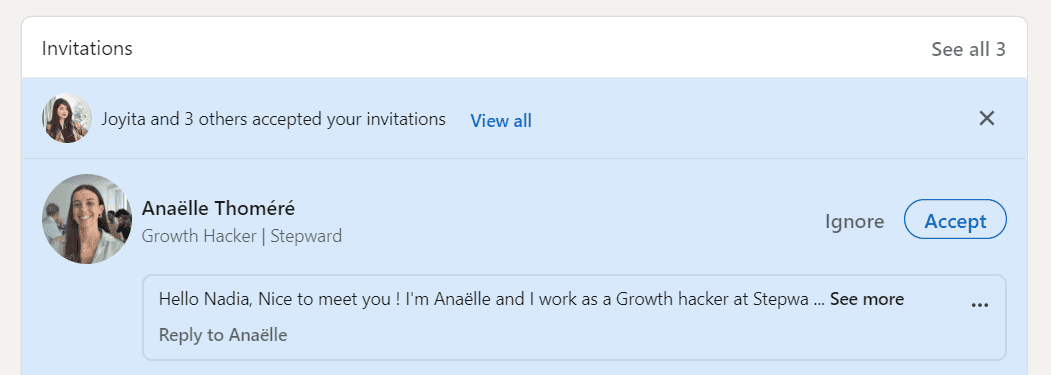
Think of a time when you received a LinkedIn connection request from a stranger, accompanied by a short note. That must have piqued your curiosity. This small LinkedIn connection request note, with its personalized content, has the power to turn an anonymous LinkedIn notification into an engaging invitation, highlighting not only who you are but also the mutual interest in connecting. It’s this personal touch that can open the door to fruitful and meaningful professional exchanges right from the start. However, as we’ll see in this article, that famous note attached to your connection request can also be counter-productive.
Note messages in your LinkedIn connection request
Note messages on LinkedIn, the personalized messages that accompany a connection request, play a fundamental role in this first interaction with a person.
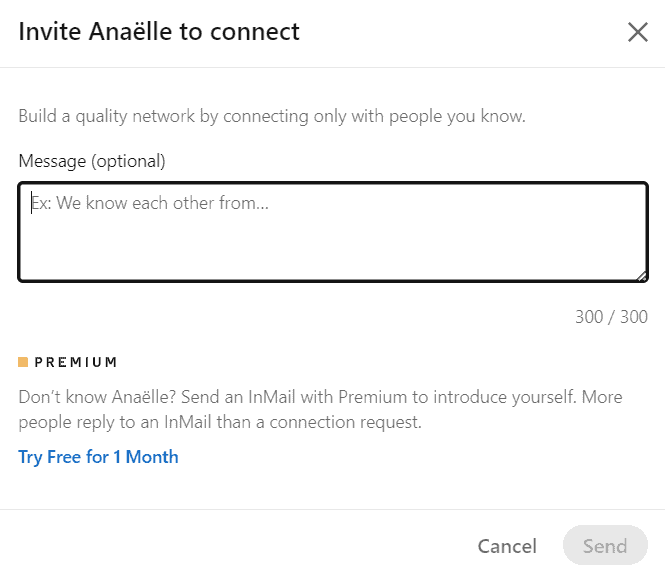
LinkedIn note messages are short, personalized messages sent when you request a connection on a professional network such as LinkedIn. Unlike a standard connection request, a note offers the opportunity to briefly introduce who you are, the reason for your request and the potential interest in connecting. This personalization aims to establish an initial link and arouse the person’s interest on the LinkedIn network. Please note that this message is limited to 300 characters, and believe me, that’s not very many!
How do I send a note?
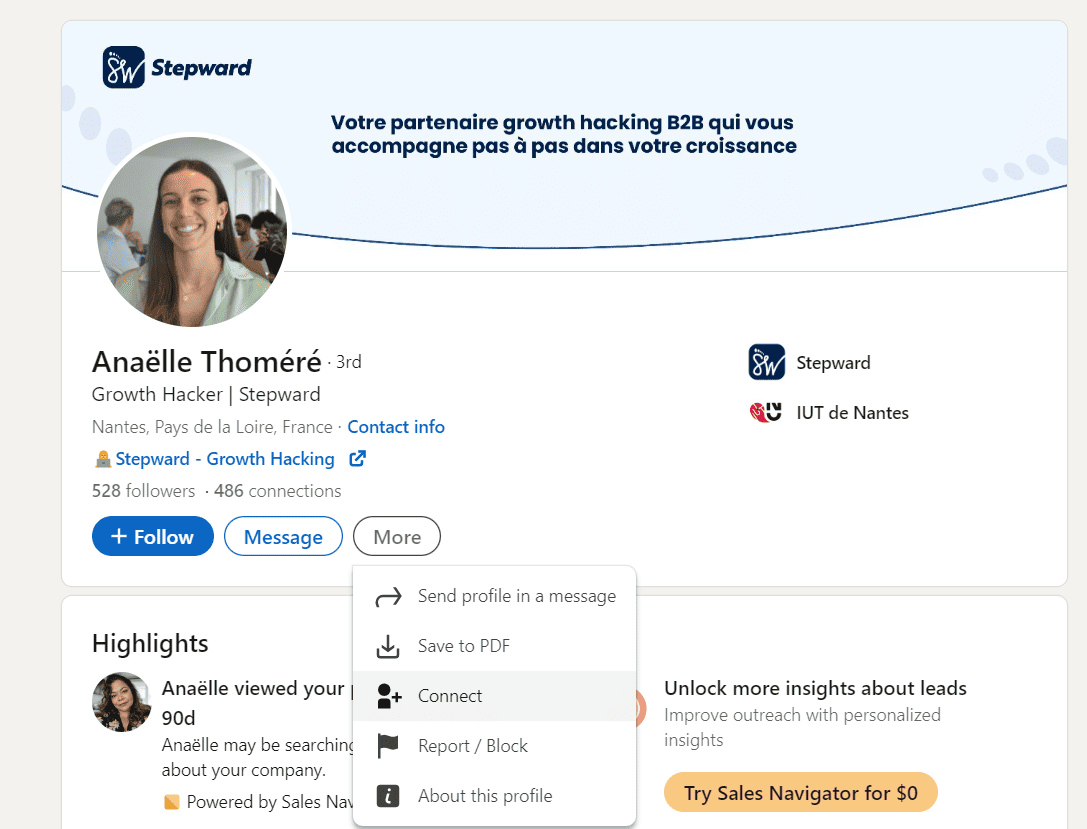
Sending a note to someone on LinkedIn couldn’t be easier. When you reach the person’s LinkedIn profile, click on “Connect”.
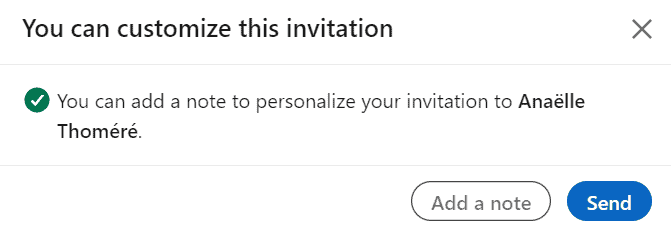
A LinkedIn window will then open, and this is where you’ll have the option to click “Add a note”.
All you have to do is write your LinkedIn message and click send! The invitation will go out with the note, and all you have to do is wait for the person to reply.
That’s for the “manual” side, but if you’re automating your LinkedIn prospecting, remember that all automation tools offer this feature.
The benefits of LinkedIn notes
Note messages on LinkedIn offer a personalized and engaging first impression, highlighting mutual interest and the uniqueness of your approach. Here are the advantages of these LinkedIn messages for your prospecting:
Establish a genuine connection and initiate engagement on LinkedIn
The personalization of LinkedIn messages transforms a simple connection notification into a genuine opportunity for exchange. This first step allows you to stand out from the crowd.
Foster a perception of common interest in your message
By contextualizing your LinkedIn connection approach, you respect your contact and their time. It’s a question of clearly demonstrating in your message what everyone stands to gain from this relationship.
Personalize your message
When you ask for an introduction via a mutual LinkedIn contact or directly, specifying their first name, your position and, above all, your reason for reaching out lends a personal, thoughtful dimension to your LinkedIn message. This clarifies your intentions and underlines the importance you attach to this relationship.
Stand out from the crowd
A touch of originality and attention in your message can make all the difference on LinkedIn, positioning you favorably in the mind of your contact.
Build trust and credibility
The personalization of your LinkedIn messages demonstrates your seriousness and professionalism, establishing a climate of trust from the very first line. Your prospects will recognize and appreciate the attention you give them, which is a solid foundation for lasting business relationships.
LinkedIn note messages are therefore useful when you have something highly differentiating to offer your prospect, and especially when you already know your prospect’s problems or issues well. That’s why I recommend using LinkedIn note messages for manual prospecting only. It’s impossible, even counterproductive, to add a note when automating LinkedIn prospecting.
The constraints of LinkedIn notes
While personalized LinkedIn messages in a connection invitation offer many advantages, they also have certain limitations that are important to consider when optimizing your LinkedIn prospecting strategy.
Investment in time and effort
Personalizing LinkedIn messages requires a considerable investment of time and effort. Every LinkedIn message needs to be tailored to the recipient to appear sincere and relevant, which can be time-consuming, especially when you’re aiming for a large number of connections. As far as I’m concerned, this is reserved for key account SDRs, combined with ABM automation.
Risk of inappropriate personalization
There is a risk of not properly personalizing the content of the LinkedIn message, which can lead to a negative perception on the part of the recipient. Superficial or clumsy personalization can be perceived as an attempt at manipulation, damaging your professional image. With 300 characters, it’s really hard to personalize the content of your LinkedIn message enough.
Potentially low LinkedIn response and conversion rates
Contrary to what you might think, adding a note on LinkedIn doesn’t guarantee a better response or conversion rate. In some cases, recipients prefer to receive direct connection requests without a message, perceiving them as less demanding and therefore easier to accept.
The importance of an optimized LinkedIn profile
For note messages to be effective, your profile must be sufficiently optimized to inspire confidence at first glance. An incomplete or unprofessional LinkedIn profile can undermine your personalization efforts, as the recipient will rely first and foremost on the general impression your LinkedIn profile gives off.
The influence of your professional title
Successful LinkedIn connection acceptances can also depend on your professional title. Titles such as “executive”, “director” or high-level corporate positions tend to have a higher acceptance rate, as they imply added value for the recipient’s network.
Our experience: data to back it up
At MirrorProfiles, we’ve tested the effectiveness of note messages for you. By segmenting our test database and analyzing acceptance rates, we observed significant variations. For example, in a recent test on our accounts, requests without a note generated a 25% acceptance rate among senior executives, compared with just 15% for requests with a note. This analysis showed that LinkedIn note messages, although personalized, can sometimes be perceived as too demanding by prospects, which can reduce their acceptance rate. This perception of early, high commitment can lead to a better selection of qualified leads, but increases the risk of missing out on potential leads.
Optimizing your prospecting strategy with MirrorProfiles
To scale your LinkedIn prospecting, MirrorProfiles gives your company the possibility of renting dedicated LinkedIn accounts that are ready for automation: accounts manually warmed up over 4 months, with more than 500 real connections, customizable (industry, positioning, photo, headline) within our usage rules. This approach keeps your personal LinkedIn account out of your campaigns and lets you target your prospects more effectively, with accounts segmented according to your company’s needs.
With MirrorProfiles, you won’t have to choose between personalization and volume for your LinkedIn messages: the two can be combined. You run your usual automation tool on your dedicated accounts and insert custom variables into your messages, while each account stays within its own limits; with several accounts, your weekly prospecting volume scales. This flexibility, combined with one platform to manage every account, makes MirrorProfiles a valuable tool for expanding your professional network.
Conclusion
Using a note in your LinkedIn connection request is a double-edged strategy, whose effectiveness can vary depending on the target. At MirrorProfiles, we’ve observed that, while these personalized LinkedIn messages can enrich the request, they sometimes tend to reduce the acceptance rate.
It is therefore essential to test their impact on your specific LinkedIn audience. With automation tools, it becomes possible to adjust and personalize the content of your large-scale LinkedIn prospecting approaches, enabling you to find the right balance between personalization and efficiency.











