



Introduction
The LinkedIn Smart Links feature is only available with Sales Navigator Advanced, and not with the more basic but essential Sales Navigator Core. If you’re still not sure which LinkedIn subscription is right for you, this article may help. But before we delve into this subject, let’s take a closer look at what a Smart Link is, why it matters and, above all, how to use it to best effect.
What are Smart Links on LinkedIn?
Smart Links are an exclusive feature of LinkedIn Sales Navigator, reserved for users with an Advanced or Advanced Plus premium subscription. They make it possible to share documents and files without the recipient having to download them, while keeping track of the users who have viewed these documents.
Smart Links offer a number of useful features, including the ability to gather and share content (up to 15 documents) from the Sales Navigator workflow, analyze the performance of each link and gather information about your prospects. By creating and sharing relevant content, you increase your chances of turning prospects into customers.
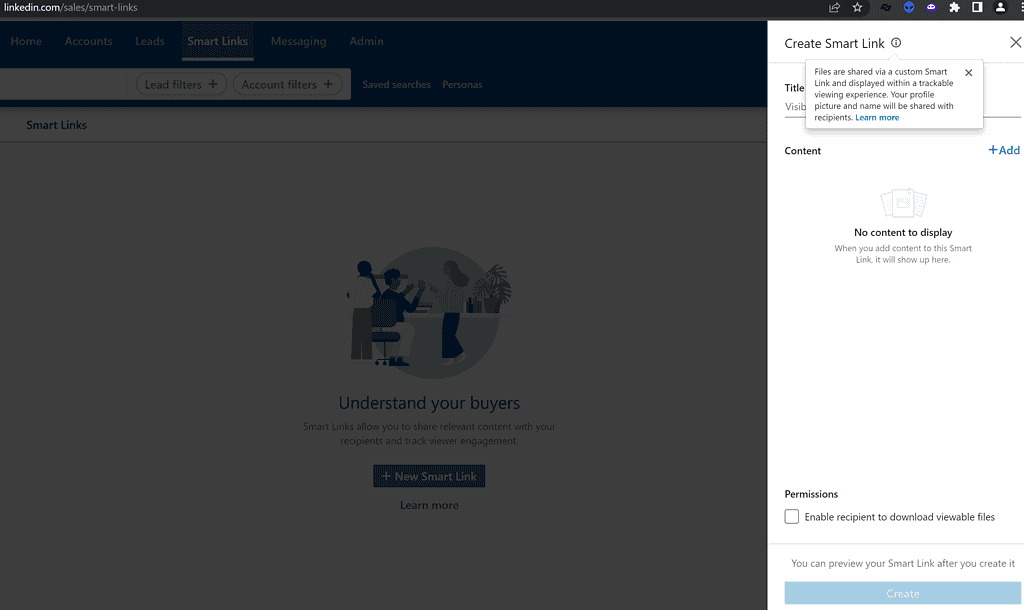
If you’re using Sales Navigator, Smart Links are located at the top of the home page. Although the tool is accessible on a computer, it is not possible to create Smart Links on a phone. However, you can view previously created links and visitor activity on mobile. It’s important to note that if you deactivate your Sales Navigator account, the shared links will no longer be accessible, but they will become available again if you reactivate your account afterwards.
In short, all transactional content. The aim is to follow all the readers of your marketing content. This will provide your sales teams with valuable information for closing sales.
The basic idea behind a Smart Link is to collect data on your reader simply and efficiently. As a great man once said: “Data is the sinews of war!” Let’s take a closer look at the reasons for using a Smart Link on LinkedIn.
Why use Smart Links on LinkedIn?
Using Smart Links has many advantages.
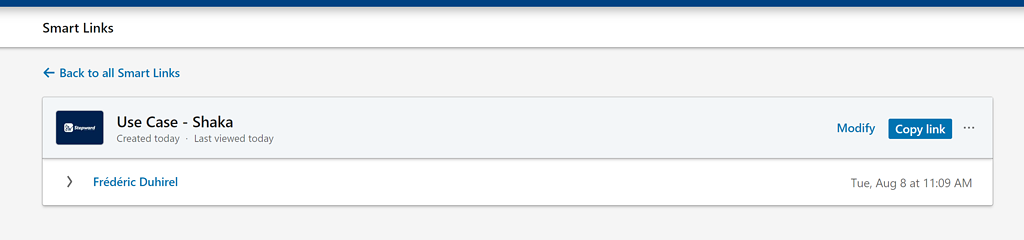
Firstly, it’s a valuable analysis tool that lets you get to know your prospects in detail: by sharing Smart Links, you can find out who viewed your link, when and for how long, and whether the link was shared with others, giving you an indication of who else is influencing decisions.
Secondly, it allows you to present your profile, your company and your business in a professional way. Whatever your business sector, it’s a good idea to include a presentation of your profile, company, portfolio, etc. in your Smart Links. It’s an ideal way to make a good impression when making contact.
Finally, it offers a better user experience. Customer experience is crucial in today’s web world. It’s simpler and more efficient to share a link to all relevant documents and content than to send PDF files and PowerPoint presentations that weigh down e-mail and other messaging systems.
What’s more, if you add further documents, your link will always be up to date, saving your customers a considerable amount of time.
In short, using Smart Links should become routine. Too much data is better than too little. What’s more, LinkedIn doesn’t like it when you invite your contacts to leave LinkedIn. This technique makes navigation easier for your readers. UX professionals will agree: the prospect experience is very important in the decision-making process. If this is done intelligently, quickly and pleasantly, you’ll immediately be seen as a serious partner. All this can be summed up in one word: professionalism.
Now that we’ve looked at what Smart Links are and how to use them, here’s our tip from MirrorProfiles for maximizing results on campaigns equipped with Smart Links.
How to maximize the performance of Smart Links on LinkedIn?
As we’ve seen, Smart Links let us know who has viewed our marketing content and when. This information is powerful, as it provides a ready-made hook for your sales force.
This technique is particularly effective for ABM (Account Based Marketing).
ABM, or Account-Based Marketing, is a marketing technique specially designed for companies in the B2B sector, aimed at concentrating efforts on customers with the greatest potential and importance. This requires close collaboration between sales and marketing teams to identify and target the most appropriate accounts and the most promising leads, with the aim of converting them into customers. Traditionally, ABM was mainly used by large companies with substantial budgets, for whom a single order could represent a significant portion of the supplier’s sales. However, all B2B companies can adopt an ABM strategy to optimize their sales.
Unlike the inbound approach, ABM is particularly well suited to long sales cycles (several months or even years between first contact and closing) involving a large number of decision-makers. Commercial companies, non-profit organizations and even associations can take advantage of ABM or use some of its instruments.
Using Smart Links as part of an ABM strategy makes it possible to deliver personalized content to targeted prospects and customers, and to analyze their engagement with this content. This enables sales and marketing teams to understand the needs and interests of prospects and customers, and adjust their messages and offers accordingly. ABM is used to multiply contact points with target companies (often large corporations) to maximize opportunity detection.
However, there’s a catch… That’s not where the trick lies! Indeed, with a limit of around 100 to 120 connection requests per week per LinkedIn account, it will be very difficult to run quality ABM campaigns unless you are patient (very patient).
Just to give you an idea, EDF has over 5,000 HR employees in France. If you offer a solution for the HR departments of major accounts, with a single LinkedIn account your ABM campaign will last around 50 weeks. Yes, almost a whole year… There are more effective ways.

The trick lies in the following tools:
- MirrorProfiles: MirrorProfiles is a service that lets companies rent dedicated LinkedIn accounts, manually warmed up over 4 months with more than 500 real connections, customizable and ready for automation. The idea is to keep your personal account for what it was made for, keep your leads within the company, multiply your weekly prospecting volume and verticalize your accounts, within our usage rules.
- HeyReach: HeyReach is an automation tool for LinkedIn that enables users to manage multiple LinkedIn accounts, clean and analyze data, integrate CRMs natively and run secure outreach at scale on LinkedIn. It is particularly well suited to agencies and large teams.
With 10 MirrorProfiles accounts, your weekly volume rises from around 100 to 1,000 to 1,200 connection requests, each account staying within its own limits. This means your ABM campaign armed with Smart Links can be completed in around 5 weeks. Now you’re talking! HeyReach natively manages account rotation, so it’s the ideal tool for this use case.
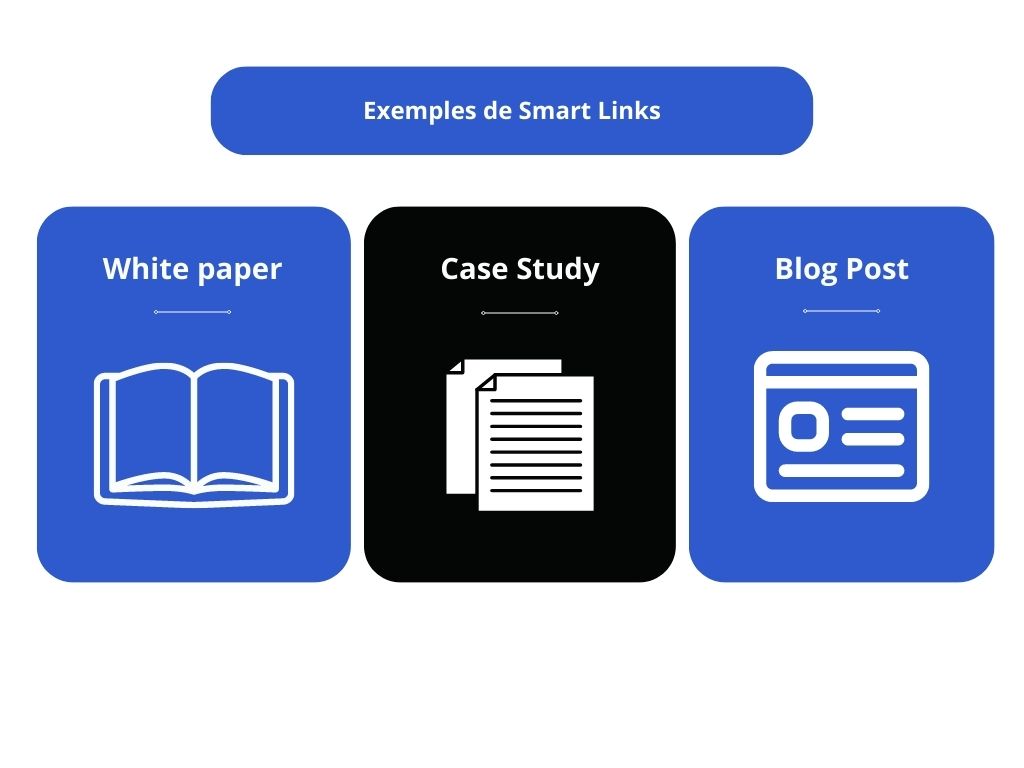
All the more effective if you keep your own account to reach out precisely when you see that X or Y has viewed your white paper via a Smart Link. Example message: “Your colleague X shared our white paper on Y with you, would you be available to discuss this topic?”
What’s more, with a multi-account automation tool or a CRM in which the conversations are centralized, your sales rep doesn’t have to juggle 10 separate LinkedIn inboxes. It’s a great time-saver in terms of management.
Conclusion
In short, LinkedIn Sales Navigator’s Smart Links are a valuable tool for B2B sales and marketing professionals. They make it possible to share content in a professional way, analyze prospects’ and customers’ engagement with that content, and collect valuable information for sales teams.
Using Smart Links as part of an ABM strategy can help maximize the performance of your campaigns, enabling content personalization, better understanding of customer needs, and optimization of sales and marketing efforts. Ultimately, this can lead to a better customer experience, stronger relationships and increased sales.
So, if you’re a sales or marketing professional operating in B2B, it’s highly recommended that you integrate Smart Links into your strategy and consider adopting an ABM approach to maximize your results.











