




Introduction
LinkedIn: the social network that transformed the professional world. But like any powerful tool, it has its limits. You are probably wondering: “What are these limits, and how safe are automation tools?” This article aims to help you select the right tool for you and give you the tips you need to set up scalable LinkedIn prospecting, making effective use of each tool’s features to get the most out of your prospecting and sales campaigns. Below, you will find the quotas of the main LinkedIn automation tools, tool by tool.
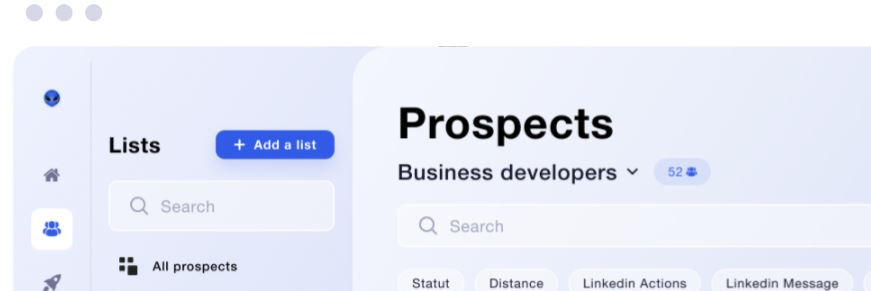
Waalaxy
Business or Advanced subscription
So, let’s start with Waalaxy, one of the most popular automation tools. If you have a Business or Advanced subscription, here is what you can do to optimize your prospecting and sales campaigns on LinkedIn:
- Connection requests: between 80 and 100 per day, up to a maximum of 200 per week. This makes it possible to grow a quality network by automating connection requests while staying within the limits LinkedIn places on each account.
- Sending messages: between 100 and 150 per day. It is as if you had an army of sales reps sending personalized messages to your prospects.
- Following profiles: between 80 and 100 per day. With this, you can follow all the professionals you are interested in, without lifting a finger, and enrich your CRM data.
- Profile visits (people): between 100 and 150 per day. It is the equivalent of attending a professional conference every day and meeting all the participants, which can be very useful for lead generation.
Freemium subscription
With a Freemium subscription, you are limited to 8 actions per day for each type of action. It is less impressive, I grant you, but it is still enough to stay active and visible on the network.
Captain Data
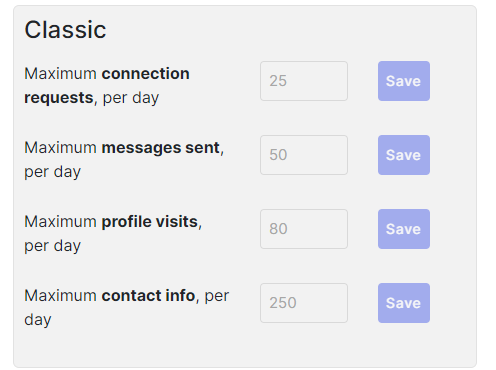
Let’s move on to Captain Data. Their policy is simple and allows efficient management of automation tasks for prospecting on LinkedIn:
- Profile visits (people or companies): 80 per day. It is a little less than Waalaxy, but still enough to explore the network and identify the best prospects.
- Connection requests: 25 per day. Again, it is less, but it is enough to grow your network gradually while keeping the account healthy.
- Sending messages: 50 per day. This lets you maintain regular communication with your contacts while respecting the tool’s quotas.
Lemlist
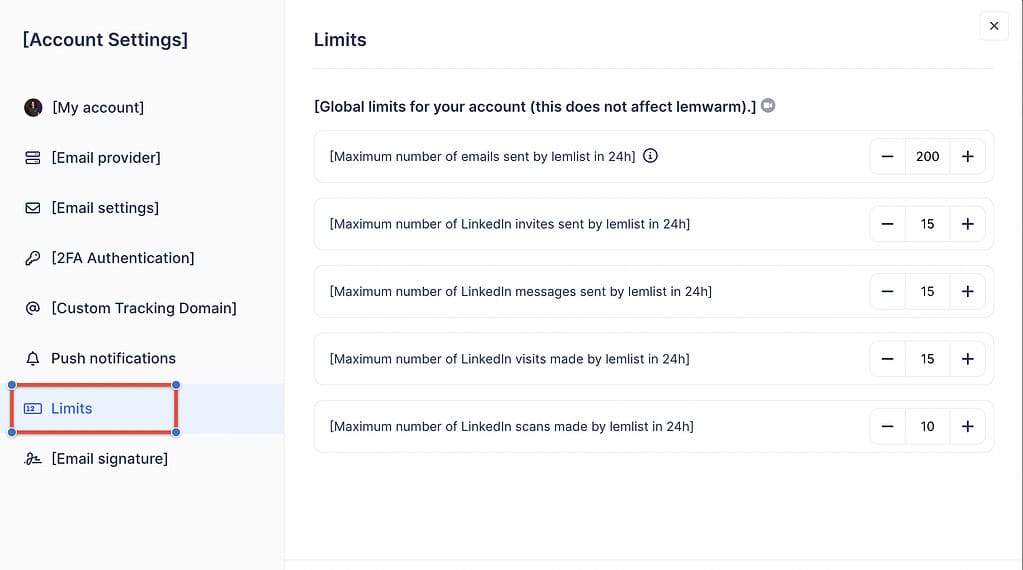
Lemlist, on the other hand, prefers a global approach, imposing a limit of around 100 LinkedIn actions per day, whether visits, invitations or messages. That is fairly flexible, but it is not much, I agree, especially for large-scale prospecting campaigns.
La Growth Machine
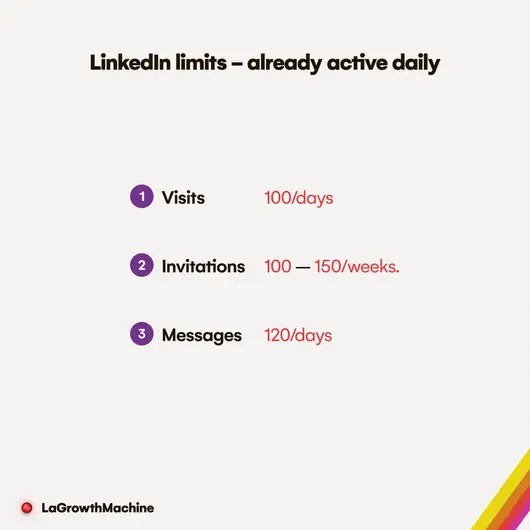
With La Growth Machine, we move up a level, with advanced features to get the most out of prospecting and sales on LinkedIn:
- Profile visits (people): 100 per day. That is twice as much as Captain Data, and equivalent to Waalaxy’s Business subscription, enabling in-depth contact research.
- Connection requests: 100 to 150 per week. Less than Waalaxy, but sufficient for a targeted prospecting strategy.
- Sending messages: 120 per day. It is close to Waalaxy’s offer, which is quite advantageous for marketing and sales campaigns.
Texau
Finally, Texau. They are a little more cautious in their limits, to keep accounts healthy and maintain responsible use of automation tools:
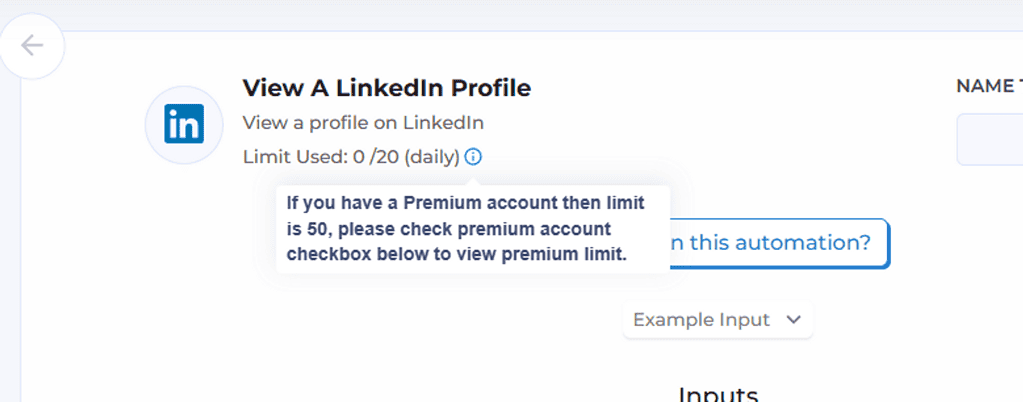
- Profile visits (people): 20 per day, 50 per day for a premium account. That is the lowest we have seen, but it is a prudent approach that keeps the account healthy while still allowing targeted prospect research.
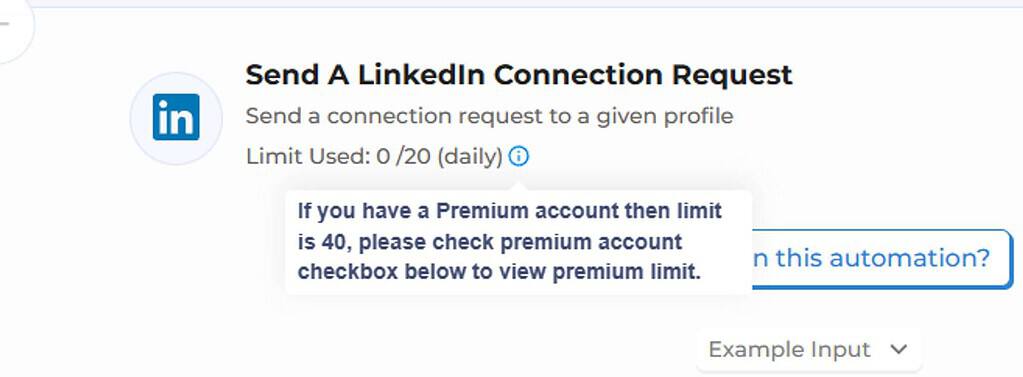
Connection requests: 20 per day. Again, this is the minimum, but it is enough to grow a quality network with personalized messages, well within LinkedIn’s limits.
Sending messages: 40 per day. It is less than the others, but it lets you focus on quality messages rather than quantity, which is essential for an effective sales strategy.
Company profile follows: 30 per day
Evaboot
This software is dedicated solely to data extraction. It does not perform direct actions on LinkedIn, such as sending messages or connection requests. The limit is set at 2,500 leads per day. This restriction may seem constraining for users wishing to generate a high volume of leads, but it produces clean, ready-to-use databases, avoiding the errors and inaccuracies often found when extracting massive amounts of data for a CRM.
Managing LinkedIn quotas to keep your account healthy
It is crucial to follow certain practices so that your account stays healthy, especially when using automation tools like Waalaxy, Captain Data or Lemlist. Here are the best practices:
- Respect daily action quotas: limit your actions to around 100 per day so that your account keeps a responsible behaviour on LinkedIn.
- Personalize your messages: avoid generic messages and opt for tailored content for each prospect, so that you are not perceived as spam and to maximize the effectiveness of your prospecting campaigns.
- Mix automation and manual actions: complement your automated actions with human interaction to maintain authenticity and strengthen relationships with your contacts.
By sticking to these practices, you keep every account within a responsible behaviour on LinkedIn while making effective use of automation tools.
LinkedIn quotas on search volume
The search volume allowed varies according to the type of LinkedIn subscription, which has a direct impact on data management and effective prospecting:
- LinkedIn Classic: a search shows you at most 1,000 people, which limits the scope of your searches and prospecting campaigns.
- LinkedIn Sales Navigator: you can export up to 2,500 people and 1,000 companies, giving you more flexibility to identify the best prospects and target companies.
- Recruiter Lite: the ceiling is set at 1,000 people, which is still sufficient for a targeted search, but requires strategic use of automation tools.
So when you run your searches, plan them within these limits: LinkedIn applies them to every account.
Multiply your prospecting volume by combining several MirrorProfiles accounts
Want more volume? No automation tool changes what a single LinkedIn account can do. The answer is to multiply the accounts, each staying within its own limits, and that is exactly what MirrorProfiles is for. MirrorProfiles rents dedicated LinkedIn accounts, manually warmed up over 4 months with more than 500 real connections, ready for automation: you plug them into your tool (native integrations with GetSales, HeyReach, SalesForge and Waalaxy, and compatibility with any secure B2B outreach tool) and you run your own campaigns.
Each account can send 100 to 120 connection requests per week and 40 messages per day, with no profile visits. With 3 accounts, that is 300 to 360 connection requests a week; with 10 accounts, 1,000 to 1,200. Your volume is proportional to the number of accounts, almost like having a full sales team at your disposal, able to handle a large volume of leads and prospecting campaigns. If you would like to find out more, take a look at this article.
With stable accounts and a tool that respects each account’s limits, you can scale your LinkedIn outreach sustainably while your own LinkedIn account stays out of prospecting.
The future of LinkedIn quotas
With the continuing evolution of automation tools and the frequent changes made by LinkedIn, quotas could become stricter. LinkedIn constantly adjusts its features and its limits to maintain the quality of its platform.
It is important to stay up to date with the latest trends and to structure your prospecting so that it does not depend on a single account, for example with several dedicated MirrorProfiles accounts.
LinkedIn is a powerful tool for making professional connections, but it has its limits in terms of automation, to preserve the integrity of the platform. Automation tools such as Waalaxy, Captain Data, Lemlist, Evaboot, La Growth Machine and Texau offer different functionalities with specific limits on actions per day or per week. It is these limits that keep your LinkedIn account healthy and enable responsible use of the tools for prospecting and sales.
If you want to maximize connection requests, Waalaxy with its Business or Advanced subscriptions is the ideal choice. To prioritize profile visits, La Growth Machine offers an interesting approach. For more moderate use, Captain Data or Texau can meet your needs in terms of data and contact management. Don’t forget to personalize your messages and mix automation with manual actions for an effective prospecting strategy.
However, for those who want to take their prospecting a step further and multiply their volume in proportion to the number of accounts, using several MirrorProfiles accounts combined with a tool like Waalaxy may be the answer. It gives you a greater prospecting force, almost like having a complete sales team at your service, able to handle a large volume of leads and prospecting campaigns on LinkedIn.
In all cases, choose the automation tool that best matches your objectives, and make sure you use it responsibly, so that each account keeps a responsible behaviour on LinkedIn and an active, positive presence on the professional network. The key to success lies in the quality of the relationships you build, even when facilitated by automation, and in using tools like Overloop or Kaspr to optimize your marketing and sales campaigns.











