



Introduction
Your LinkedIn profile picture is a crucial element of your online presence, a pillar of your personal and professional image. It gives potential contacts and employers their first impression of you, and plays a significant role in how you are perceived in the professional world. A good LinkedIn profile picture must therefore be chosen with care, to reflect your professional identity and establish a climate of trust with the people you talk to.
10 criteria for a good LinkedIn profile picture
LinkedIn asks for a profile picture when you register on the platform. It gives your account credibility: a high-quality, professional photo sets you apart from other users of the network. You can change it at any time by editing your profile.
To help you choose the best photo for your profile, we’ve put together 10 tips:
- Portrait format: Opt for a photo where your face takes up around 60% of the space, for better identification.
- Natural light: Choose natural light for the best image quality and to avoid unwanted shadows and reflections.
- Choice of background and lighting: For your LinkedIn profile picture, it’s advisable to choose a simple, uncluttered background, especially if you work in a traditional professional field. This helps focus attention on you rather than on the background. If you’re in a creative field, a colorful but tasteful background may be appropriate, as long as it’s not too visually distracting.
- High quality and good framing: Make sure your photo is sharp and well centered.
- Being alone in the photo: Avoid including other people, to maintain a professional appearance.
- Appropriate attire: Dress should be professional and appropriate to your industry. It doesn’t have to be as formal as a suit, but it should be something you could wear to work.
- Posture and facial expression: Your posture should be upright, and a positive, engaging facial expression is recommended.
- Avoid selfies: Selfies can give a less professional impression and frame the subject poorly.
- Positive expression: Adopt a welcoming expression to encourage professional interactions and opportunities.
- Shoulders to the right: Orient your shoulders to the right to visually encourage visitors to explore your profile.
To complete these tips on choosing your LinkedIn profile picture, don’t hesitate to consult our detailed guide: Optimize your LinkedIn profile photo. There you’ll find additional information and practical tips for improving your professional image online. It takes an in-depth look at presentation techniques and guides you step by step to create an even more impactful LinkedIn profile.
Now that you know the right criteria for choosing your LinkedIn profile picture, it’s important to optimize the rest of your LinkedIn profile visuals too. Take a look at this video with LinkedIn expert Ruben Taïb.
Customize your profile photo
To personalize your LinkedIn profile picture with subtlety and professionalism, you can use tools like PFPMaker. This online tool is designed to enhance the look of your photo while maintaining a professional tone. It offers features such as enhanced lighting and framing, and the ability to add elements that reflect your profession or personality while remaining discreet.
Here are a few examples:
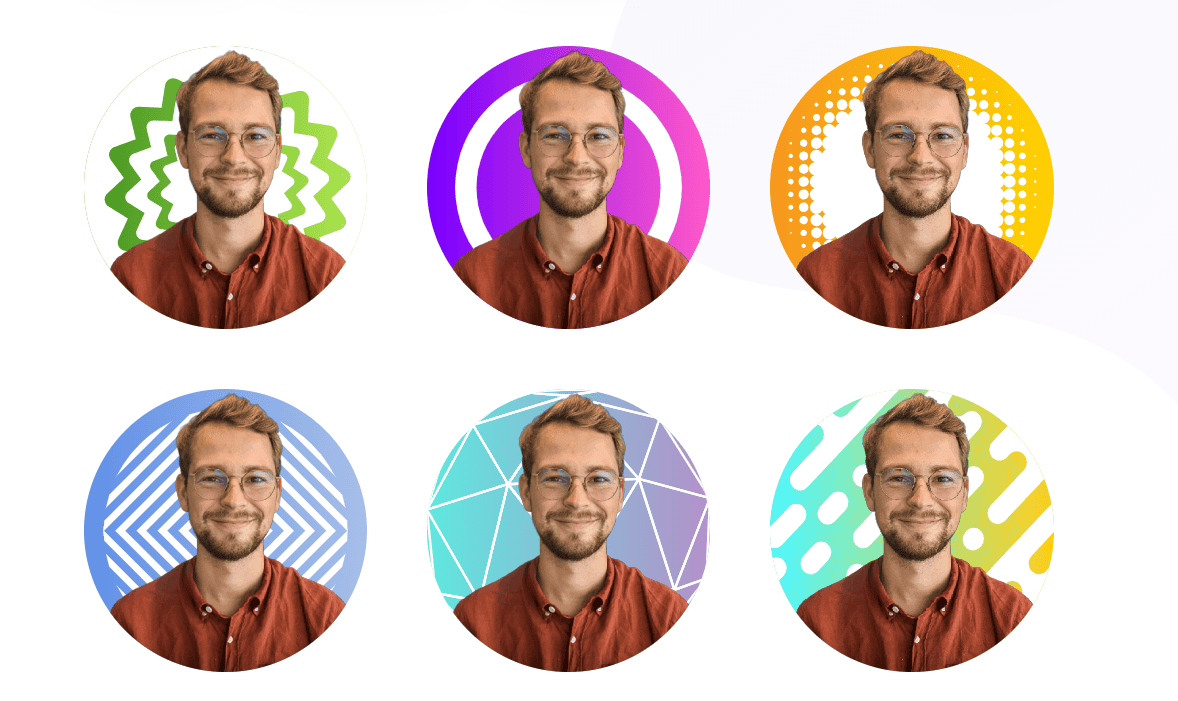
You can even modify the proposed templates for maximum customization. Here’s how:
As for size and format, it’s important to follow the platform’s recommendations. The ideal size is 400 x 400 pixels. Make sure your photo is in JPEG or PNG format and no larger than 8 MB. This not only guarantees optimum display quality, but also ensures that your profile loads quickly for visitors.
Prospecting with MirrorProfiles photos
Many people would rather not prospect from their personal LinkedIn account, and would rather not put their own face on a second account either. This is exactly what dedicated accounts are for.
Renting a MirrorProfiles account gives you a dedicated, stable LinkedIn account, manually warmed up over 4 months with more than 500 real connections, ready for automation. With these accounts, you can:
- Multiply your weekly prospecting volume. Each account can send 100 to 120 connection requests per week, so with 5 accounts that’s 500 to 600 requests a week, a volume proportional to the number of accounts.
- Keep your leads in an account rented by your company: the network and the conversations stay with the company when a teammate leaves.
- Leave your own LinkedIn account, and your colleagues’ accounts, out of prospecting altogether.
The photo on each account is generated by AI, so that no third party’s likeness is ever used. These images are free of copyright and belong to no real person: there’s no risk of someone recognizing a friend’s face on your prospecting account. And within our usage rules, you can customize the account (sector, positioning, photo, headline) to match your own positioning.
Conclusion
Creating an optimized profile picture is essential. For further advice on optimizing your LinkedIn profile, take a look at our comprehensive guides, written in collaboration with a LinkedIn expert. You’ll find advanced strategies and tips for strengthening your online presence while preserving your privacy. And before you rush into creating a second LinkedIn account yourself, remember that a dedicated account that is already prepared exists: that’s exactly what MirrorProfiles provides.











