



Focus on LinkedIn filtering, an essential component for effective navigation on this professional platform. Whether you’re looking for a job, want to develop your professional community or want to target prospects for your marketing operations, understanding and mastering filtering is a major asset. Generating leads without perfect mastery of these elements is a wasted effort. We reveal how the different tools work on free LinkedIn, focusing on how they can transform your experience on the platform. Whether you have a classic account (free) or Sales Navigator (paid), this comprehensive article covers classic LinkedIn filters and LinkedIn Sales Navigator filters in detail. Become an ace at creating qualified databases.
The different filters on LinkedIn
Their use is essential for refining your searches and effectively targeting relevant profiles. For a detailed understanding of all the features available when searching on LinkedIn, a specific article will soon be available. In the meantime, here’s an explanation by tab:
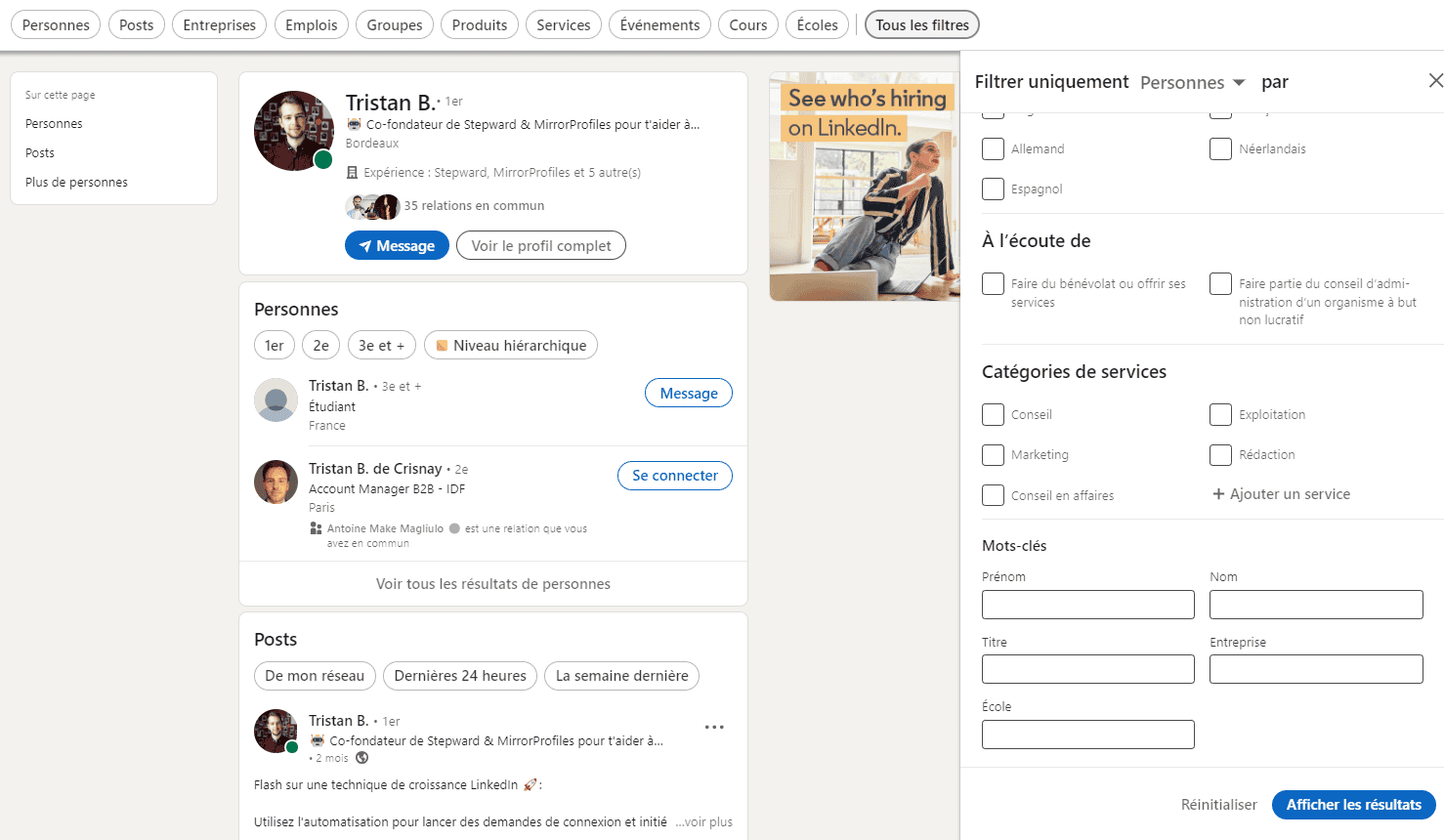
A) People filters
Connections: Segment users according to their degree of connection with you, providing a clear separation between your direct connections, second-level connections and third-level connections and above. This helps you target people in your immediate network or expand your professional circle.
Locations: Essential for targeting users in specific geographic areas, whether countries, regions or cities. It is particularly useful for localized marketing strategies or targeted recruitment operations.
Current company: Filtering users by their current company allows you to target professionals in specific organizations, an asset for B2B approaches and strategic partnerships.
Connections of: Allows you to target the connections of a specific person in your LinkedIn community, offering a personalized approach to networking.
Followers of: Allows you to target the followers of celebrities or opinion leaders, useful for reaching an audience influenced by specific figures.
Talks about: Target users according to their interests, crucial for effective, personalized marketing campaigns.
Past company: Used to find people who have worked in specific organizations, this filter is ideal for recruiting or searching for unique skills.
School: This filter facilitates recruitment or networking in specific academic environments, enabling a targeted approach to these environments.
Industry: Allows you to target professionals in a given field, essential for sector marketing strategies.
Profile language: Target users according to their profile language, important for multilingual or regional campaigns.
Open to: Seeks out people open to certain opportunities, such as volunteering or consulting positions, facilitating targeting for specific offers.
Service categories: Specify users according to the services they offer, which is beneficial for collaborations or service partnerships.
Keywords: Enables precise searches using specific words such as first name, last name, professional title, company or school, offering greater personalization in searches.
These filters are represented in the LinkedIn user interface, offering a variety of options for narrowing down searches and effectively targeting prospects.
B) Job filters on LinkedIn
Having explored what’s related to people on LinkedIn, let’s now turn our attention to the filters specific to job offers. They are designed to refine your search for professional positions, helping you find opportunities that perfectly match your skills and aspirations. But also for you salespeople, having a target company that’s recruiting can be a very good indicator. So job offers on LinkedIn can be a great idea for lead generation.
As an aside for sales reps: at MirrorProfiles, for example, since we promote lead generation via LinkedIn, I’ve set up alerts to detect which companies have posted a Business Developer or Marketing Acquisition offer. Once I know which organization posts this type of offer, I just have to do 2 things:
- Contact the sales director or manager and suggest equipping their future sales reps with MirrorProfiles dedicated LinkedIn accounts.
- Once a job offer is no longer active on LinkedIn, I know the position has been filled. I then reach out to the new sales representatives at that company to propose MirrorProfiles dedicated accounts, so they can reach their lead generation objectives.
This strategy is a little more surgical than classic prospecting, but the ROI is very high, so I recommend it 😉 Let’s get back to the article!
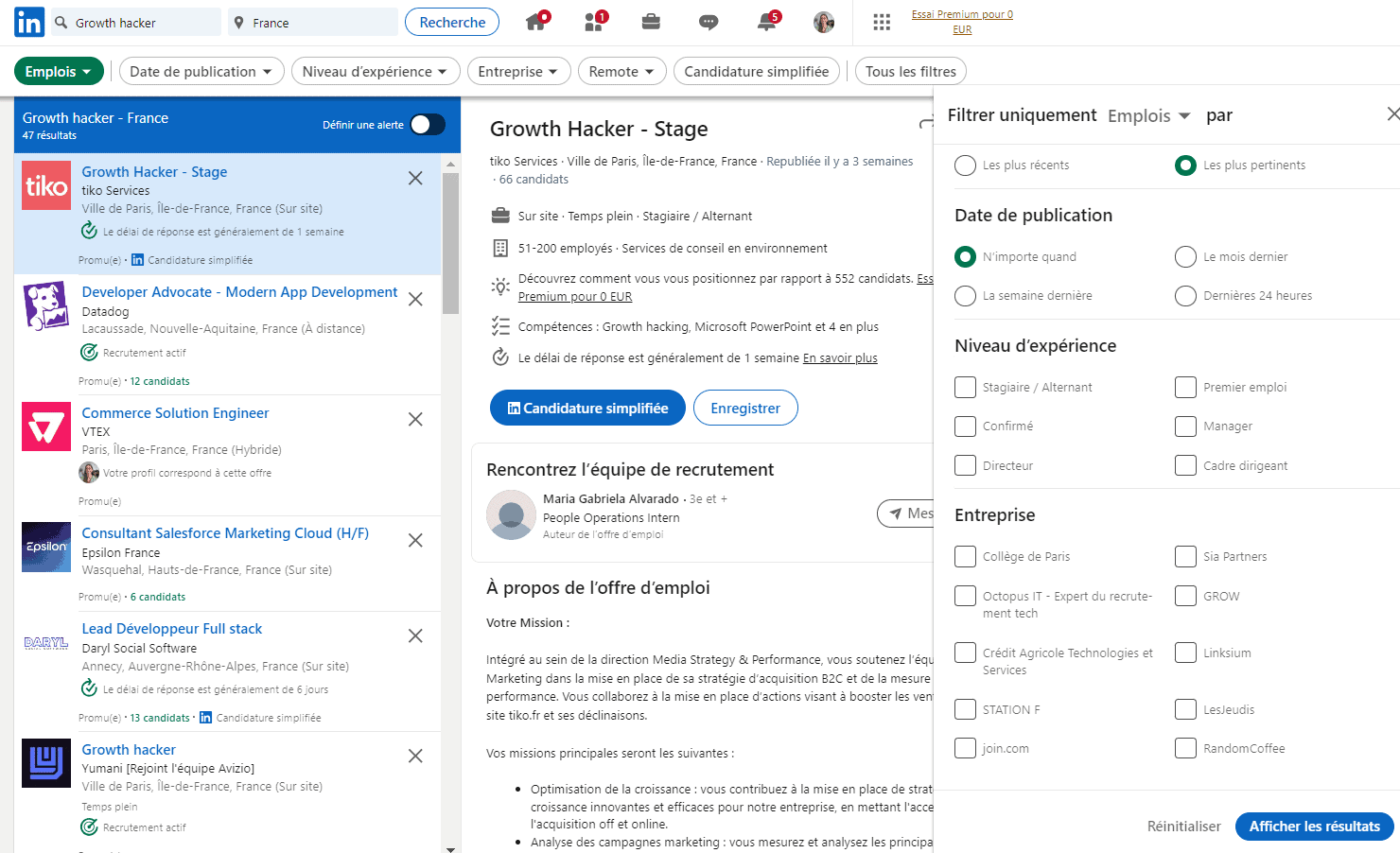
Sort by: This lets you choose between displaying Most recent, giving you direct access to newly published opportunities, or Most relevant, which displays them according to how well they match your profile and previous searches. This feature is crucial for orienting your search according to your current priorities.
Date posted: Invaluable for candidates wishing to stay at the forefront of job opportunities. By filtering by publication date (opportunities within the last 24 hours, last week or last month), you can target the most recent jobs and act quickly on the freshest opportunities.
Experience level: This allows you to search for positions that match your specific career level, from internships and entry-level positions to mid-level, management and executive positions. It offers precise customization so you can target the most appropriate jobs.
In addition, options such as Company, Job type, and the ability to choose between On-site, Hybrid or Remote positions, give you extra flexibility and focus. Selections such as Job collections, Easy apply, Location, Area, Function, and Job title allow even more refined searches.
Unique features such as Under 10 applicants and In your network highlight less competitive opportunities and those in your professional circle, giving you an edge in your job search.
In conclusion, using filtering on LinkedIn transforms the way you search for and find professional opportunities. By effectively refining your search, you optimize your chances of discovering the opportunities that best match your professional needs and objectives.
C) Post filters on LinkedIn
To enrich your LinkedIn experience, let’s explore the filters available for publications. These tools help you personalize your news feed, allowing you to discover content tailored to your professional and personal interests.
When browsing publications on LinkedIn, you have access to a variety of options that allow you to customize your feed according to your preferences:
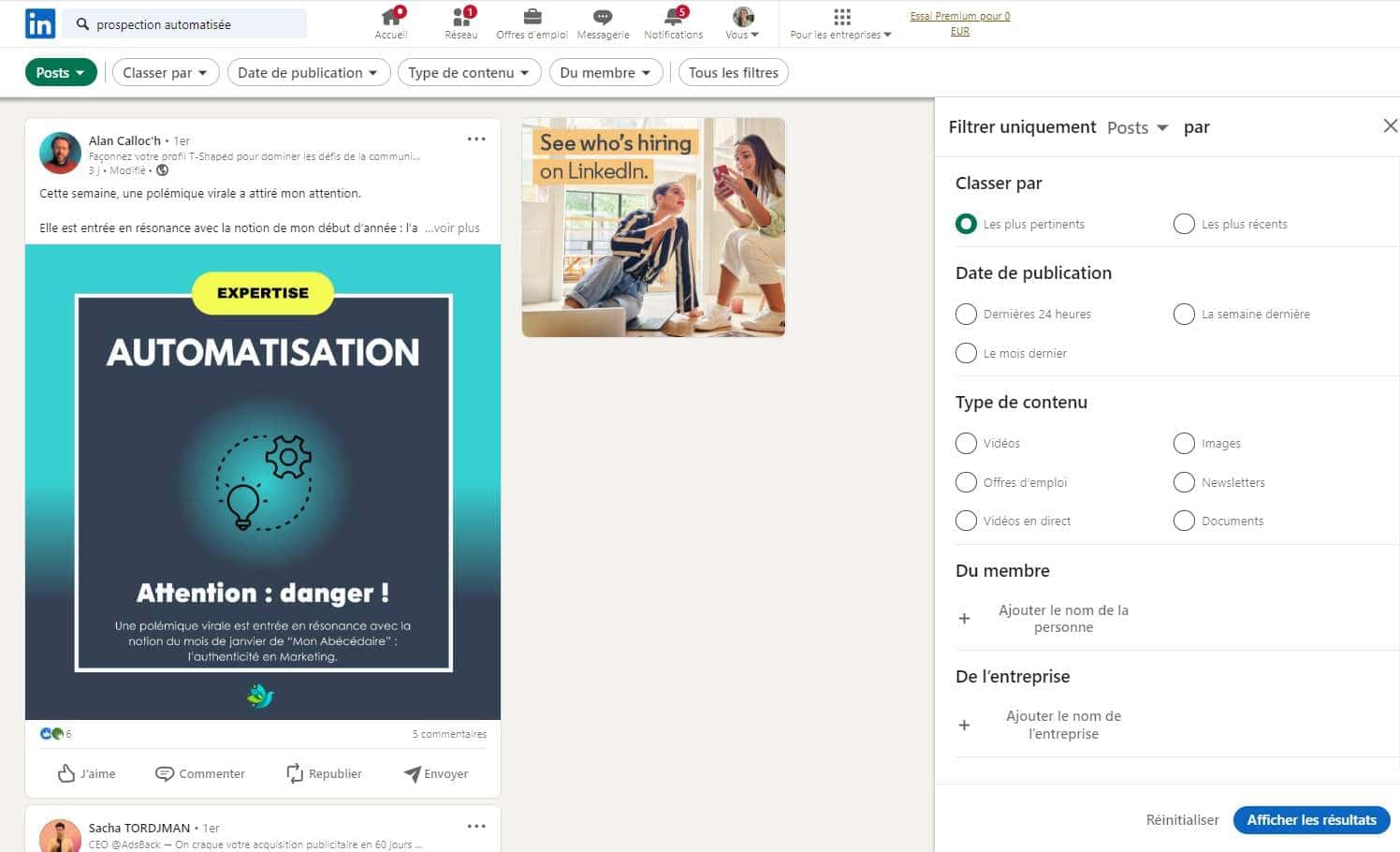
- Sort by: It offers you two main options. With Most relevant, you discover publications sorted according to their relevance to your profile and previous interactions. Most recent shows you the latest publications, keeping you informed of what’s new.
- Date posted: This filter helps you target publications according to their freshness, whether they were shared within the last 24 hours, last week or last month, keeping you up to date with the latest information.
- Content type: Whether you’re interested in Videos, Images, Job opportunities, Newsletters, Live videos, or Documents, it lets you choose the type of content you’d like to see, tailoring your feed to your content consumption preferences.
- From member and From company: These allow you to view the specific publications of a person or company, making it easy to follow the contributions of opinion leaders, colleagues or target companies.
- Posted by: This allows you to view the publications of your first-level connections, review your own publications, or see those of people you follow, making your LinkedIn journey more relevant and personalized.
- Mentioning member and Mentioning company: These help you find publications mentioning a specific person or company, providing you with an overview of discussions and news items related to specific entities or individuals.
- Author industry and Author company: Filter publications according to the author’s industry or company, offering a targeted perspective on trends and information in specific fields.
- Author keywords: Use them to refine your search for publications, giving you the opportunity to discover highly relevant content based on precise criteria.
In my opinion, this is one of the tactics with the highest ROI, because it allows you to base your copywriting on a recent post and a specific subject. In other words, by identifying everyone who has liked or commented on a specific post, you can determine the interests of your potential prospect. Admittedly, the databases aren’t very large, but the statistics are much better. For example, on a post that talked about setting up outbound campaigns, there were around 200 people who liked the post. I simply contacted them to complete the post with MirrorProfiles. I knew 2 essential things:
- They were in the middle of setting up their outbound campaigns
- They were in charge of acquisition in their company
In short, I knew that when discussing MirrorProfiles, I needed to emphasize one key point: renting several dedicated MirrorProfiles accounts multiplies your weekly volume of connection requests (10 accounts is 1,000 to 1,200 per week). Suffice to say, I’ve rarely seen so many responses to my messages, ahah. Out of 200 people contacted, 156 replied and 53 demos were booked. Well, it’s still my record.
With these features for publications on LinkedIn, you can enhance your practice on the platform, ensuring you find the content that’s most relevant and interesting to you, whether for professional development, industry intelligence or simply to keep abreast of the latest trends.
While these basic tools are useful, they do have their limitations. For users requiring more advanced functionality, LinkedIn offers Sales Navigator. This premium service offers advanced tools for even more targeted and effective prospecting.
Exploring advanced filters with Sales Navigator
It’s a powerful LinkedIn service, offering advanced filtering features. This tool offers different subscriptions, so it’s important to choose the right one for your needs.
Sales Navigator advanced filters
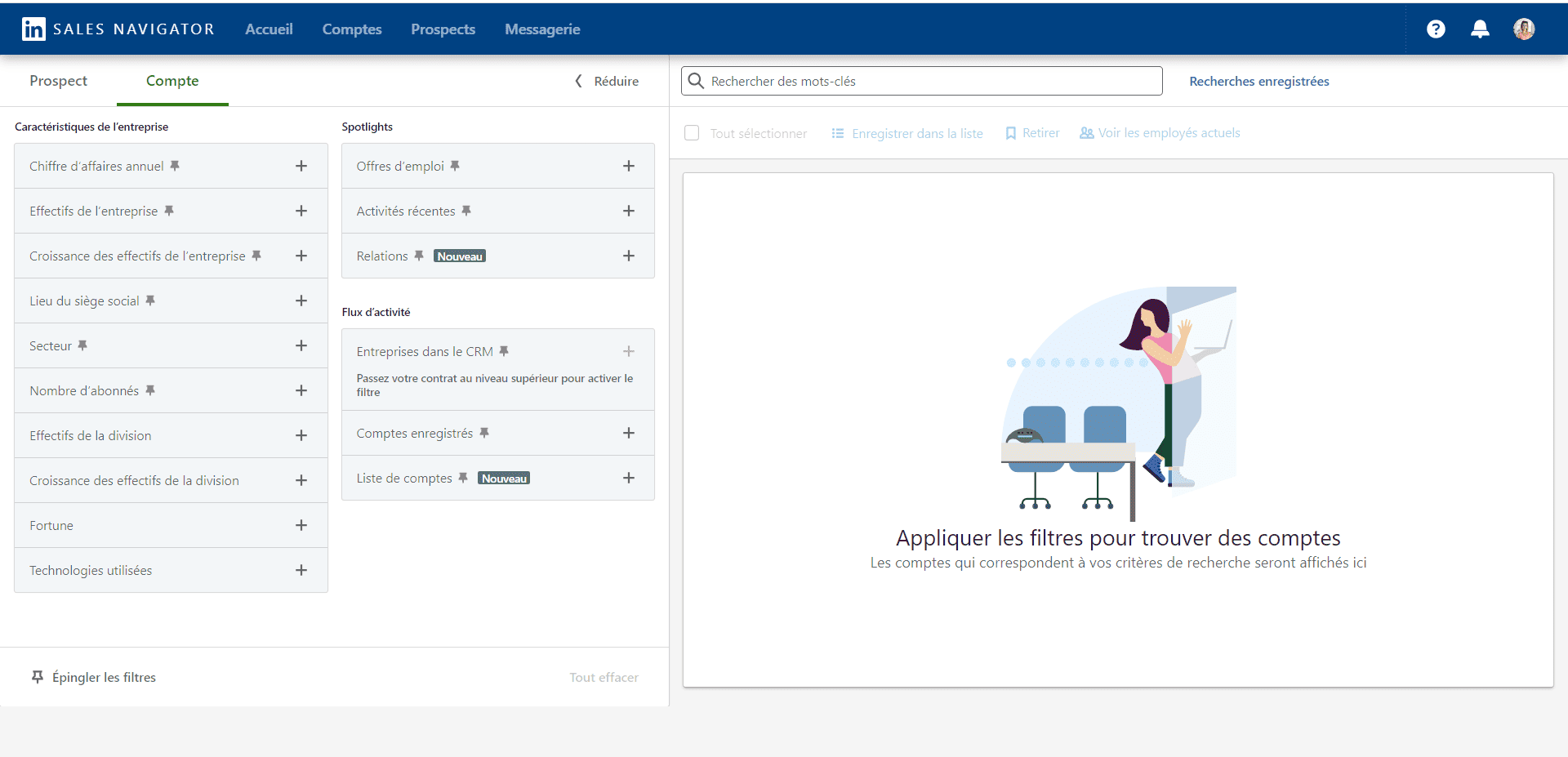
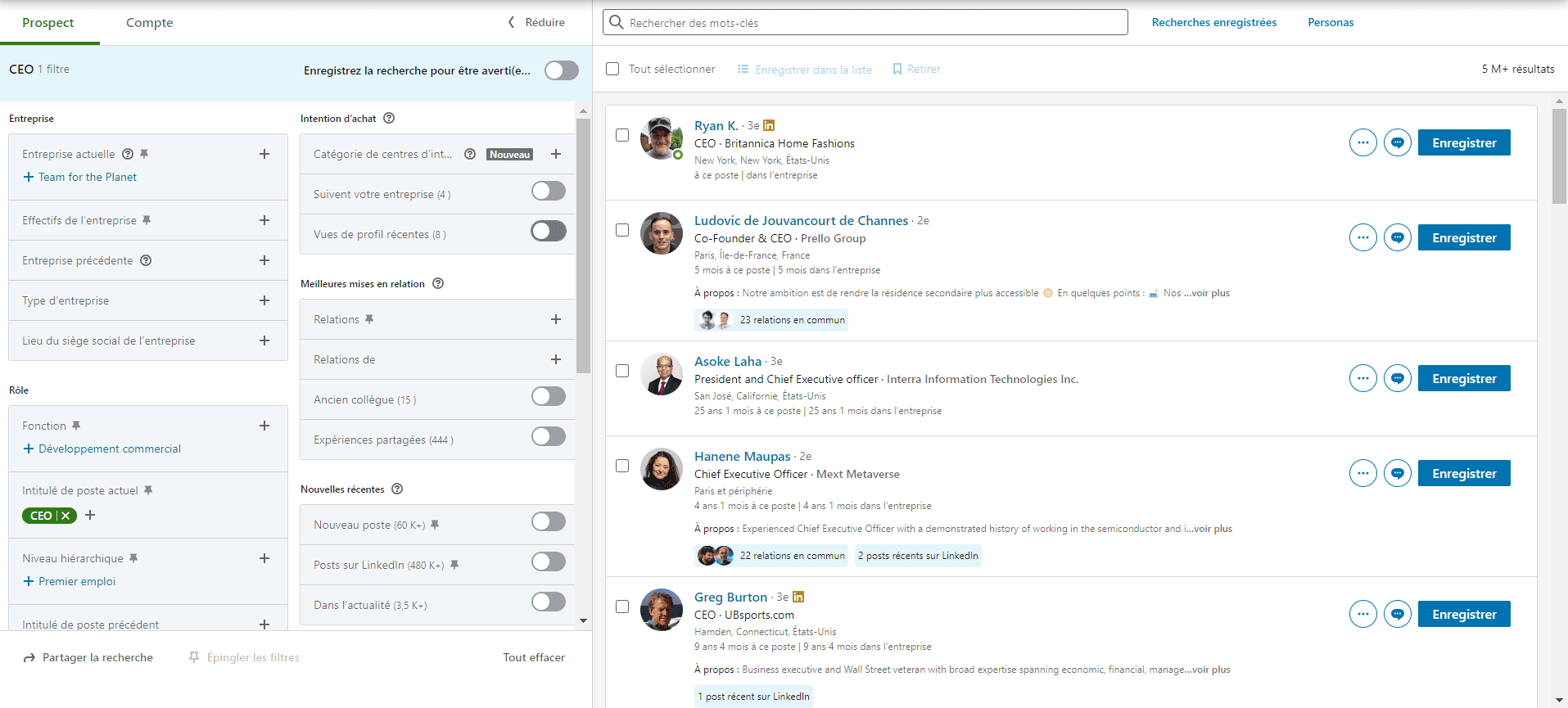
The service provides access to advanced filters not available on standard LinkedIn. They include, but are not limited to, criteria such as job function, seniority, company size, LinkedIn groups, and much more.
The double filter technique with Sales Navigator
The double filtering technique enables an extremely precise and personalized targeting approach. This involves first creating a specific company search, then searching for individuals within those companies according to detailed criteria. Here’s how it works:
- Creating a company list: The first step is to create your selection of target companies. It can be based on various criteria such as industry, company size, geographical location, or other relevant parameters. You select a set of companies that match your sales or prospecting objectives.
- Search for specific profiles in the selection: Once your list is established, you can use the advanced filters to search for people within these structures. For example, you may be looking for decision-makers, department heads, or specialists in a particular field.
This technique is particularly useful for B2B marketing professionals and sales teams who need to target specific individuals within particular companies. It enables fine segmentation and a highly targeted approach, which considerably increases the chances of engagement and conversion.
Examples:
- Executive search with a predefined list: If your objective is to connect with executives of technology companies in the Paris region, start by creating a targeted list in the region’s technology sector. Once this list has been established, apply a “Title” filter to target only CEO or Director profiles. This approach allows you to focus your efforts on specific leaders in a given area and region.
- Target healthcare decision-makers in Occitania with a selective list: To target healthcare decision-makers in Occitania, first create a selection of companies in the healthcare market operating in this specific region. Then use the “Function” filter to filter these companies and identify profiles of Operations Managers or other key decision-making positions. This double-filtered method ensures that you target the most relevant decision-makers in your regional interest category.
These examples illustrate how double filtering with Sales Navigator enables a more strategic and targeted approach, combining company selection with the search for specific people.
With the large volume of leads you can generate with this service, it’s essential to have a large-scale prospecting capability. You can use automation tools to work these lists.
With the volume of leads you’ll generate, you’ll be able to run large-scale campaigns. That’s where MirrorProfiles comes in: dedicated LinkedIn accounts, ready for automation, with one platform to manage every account. One Sales Navigator subscription, on a single account, is enough to build the lists your other accounts then work.
By combining these advanced filters with MirrorProfiles, your volume becomes proportional to the number of accounts, while each account stays within its own limits. For example, with 5 MirrorProfiles accounts, that’s 500 to 600 connection requests per week, and with 10, 1,000 to 1,200. You add accounts as your needs grow.
Conclusion
Exploring in depth the various filtering features on LinkedIn, it becomes clear that this platform offers many opportunities for prospecting and networking. Whether targeting specific individuals, job offers or publications, LinkedIn is an essential tool for professionals looking to maximize their effectiveness.
Sales Navigator, with its dual filtering capabilities, enables an exceptionally precise targeting approach, opening the door to highly personalized strategies. By creating targeted selections and then filtering people, you can achieve remarkable levels of specificity and relevance.
However, managing the high volume of prospects generated by such a strategy requires appropriate tools. That’s where MirrorProfiles comes in, with dedicated LinkedIn accounts and one platform to manage them all. This multi-account approach allows you to considerably extend the reach of your campaigns, with a volume proportional to the number of accounts, while personalizing your interactions with a diverse audience.
In conclusion, making the most of LinkedIn filtering and integrating MirrorProfiles into your digital strategy opens up new horizons for achieving your professional objectives, whether in terms of recruitment, business development or B2B marketing. It’s a new era of digital prospecting, where precision, personalization and efficiency go hand in hand with innovation and technology.











