



Using MirrorProfiles in combination with Waalaxy is a strong combination for your prospecting and recruitment activities on LinkedIn. Two tools that complement each other well and help you get the most out of this professional platform. After more than two years of experience and careful analysis, we’re pleased to share this Waalaxy tutorial with you: a comprehensive guide to our best tips, techniques and feedback to help you exploit the full potential of these two platforms.
What is Waalaxy?
Waalaxy is more than just an extension for Google Chrome: it’s a complete platform designed to automate and optimize your prospecting on LinkedIn and by e-mail. Not only can you automate tasks such as sending invitations and messages on LinkedIn, but you can also find professional e-mail addresses and synchronize this information with your CRM (Customer Relationship Management) system, or your ATS for the recruiters among our readers.
Key features
LinkedIn prospecting
Waalaxy automates various aspects of prospecting on LinkedIn. Features include:
- Automatic invitations: You can send connection requests to targeted profiles in bulk, without having to do it manually. Here’s an article on how to achieve an acceptance rate of over 50%.
- Automated follow-ups: If a prospect has not responded within a timeframe defined by you, Waalaxy will send a follow-up.
- Customized workflows: You can create customized sequences of actions, such as visiting a profile and then waiting a few days before following up. These workflows come as templates, so there’s no functionality for building them block by block.
Lead enrichment
Thanks to its integration with Dropcontact, Waalaxy allows you to:
- Find e-mails: Get verified business e-mail addresses.
- Profile enrichment: e-mails found can be automatically added to existing profiles in your CRM.
Once you have identified and qualified your prospects on LinkedIn:
- Send automation: Schedule cold emails to be sent at strategic times.
- Response tracking: Waalaxy tracks responses and lets you see which prospects have opened your e-mail.
This makes it possible to create cross-channel loops, which are essential in an outbound strategy today.
Explanation of tabs
Home: Analyze and Track Your LinkedIn Campaigns
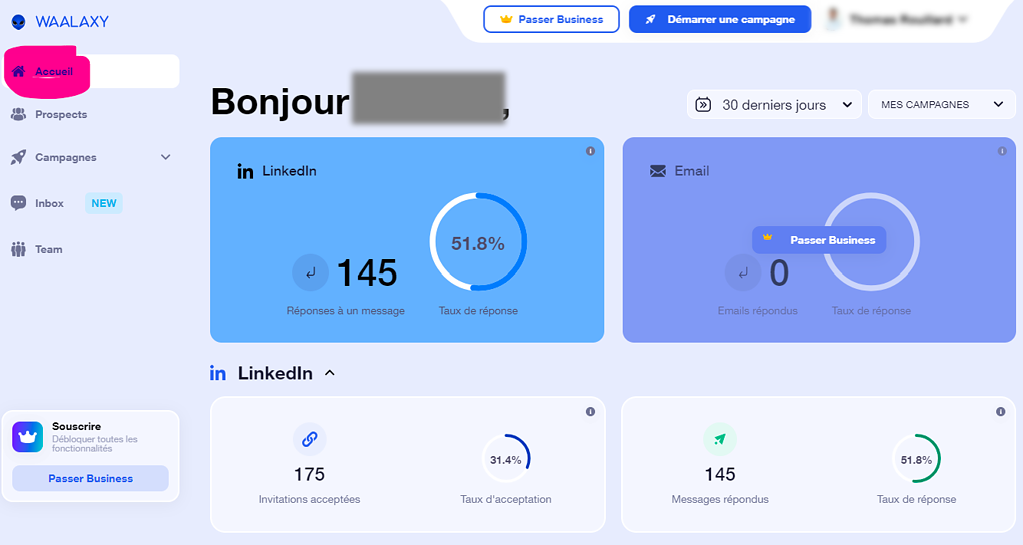
The “Home” tab is the epicenter of your analysis on Waalaxy. It gives you a panoramic view of your prospecting activities, essential for monitoring and optimizing your LinkedIn campaigns.
Key indicators
You need to monitor two crucial indicators to evaluate the success of your campaigns:
- Acceptance rate: Measures the effectiveness of your connection requests.
- Response rate: Evaluates the engagement generated by your messages.
Filtering and Temporality
At the top right of the interface, options allow you to:
- Select Temporality: You can choose the period to be analyzed: monthly, quarterly or annually. There’s no point in analyzing KPIs for less than 2 weeks of campaign activity. Take into account acceptance and response times. Your prospects aren’t always connected to their LinkedIn.
- Select Campaign: A filter that lets you examine the data for each campaign individually.
Note that to obtain statistically significant data, we recommend waiting at least two weeks and having a sample size of at least 300.
A/B Testing of Campaigns
Thanks to these metrics, you can decide whether A/B testing is necessary to improve the performance of your campaigns.
Account activity monitoring
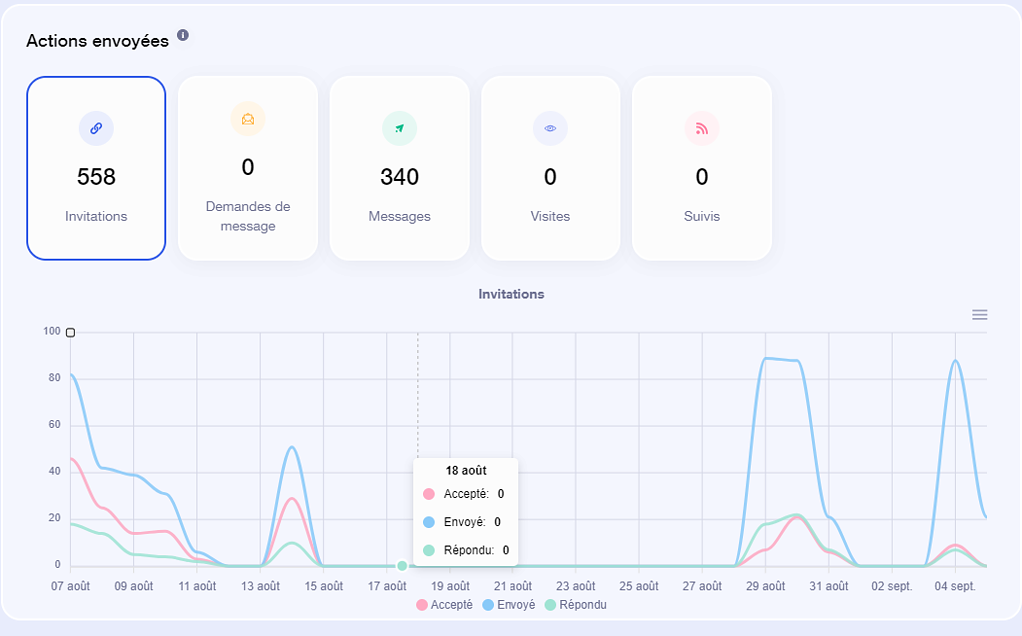
This activity graph is particularly useful if you use the extension version of Waalaxy. It’s crucial to monitor this curve to ensure that your Waalaxy extension is active. For example, you’ll see periods of inactivity, such as between August 15 and 28 on the graph, or peaks of activity, such as August 29.
To find out more, check out this article on A/B testing on LinkedIn.
Team Management
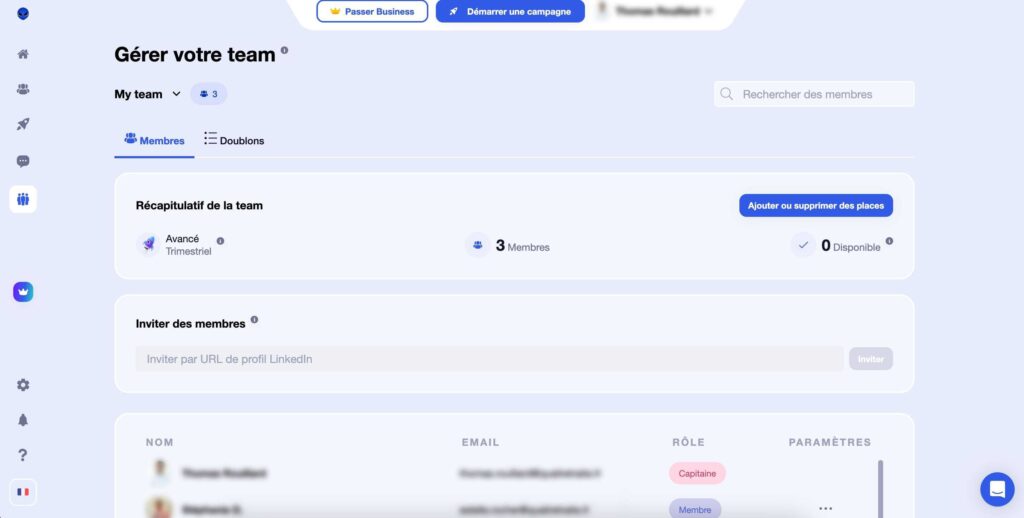
If you’re a manager, this tab allows you to monitor the campaigns run by your sales or recruitment staff. For more information on LinkedIn’s limits in relation to Waalaxy, I recommend that you consult this article.
Prospect tab
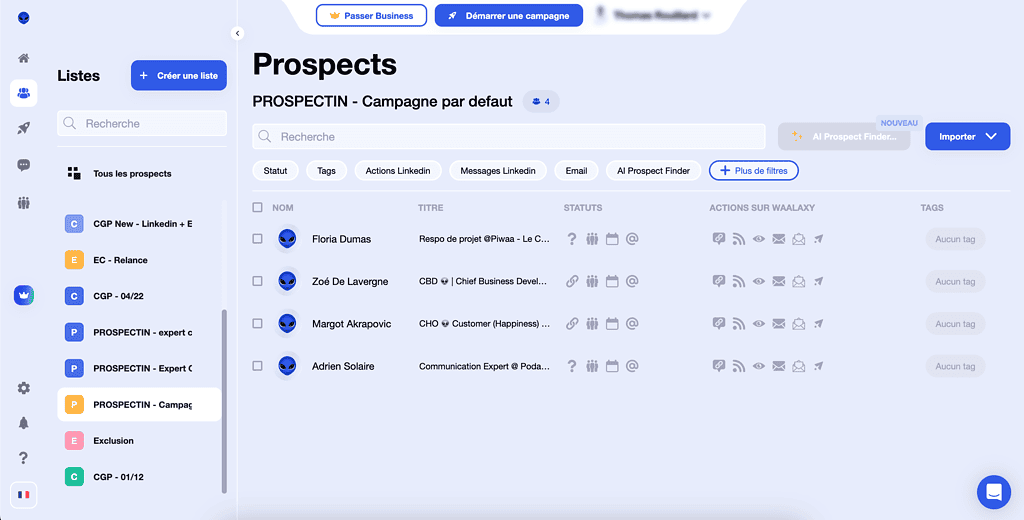
- Database import: You can import a list of prospects and Waalaxy will enrich it with additional data. You can launch campaigns based on your prospect lists. Several types of imports are available on Waalaxy to obtain prospecting files:
- Import via LinkedIn search or Sales Navigator search
- Import via CSV
- Import from a LinkedIn group (only if you are a member)
- Import from a LinkedIn event (see how in this article)
- Import from a saved search or prospect list in Sales Navigator
Campaign tab
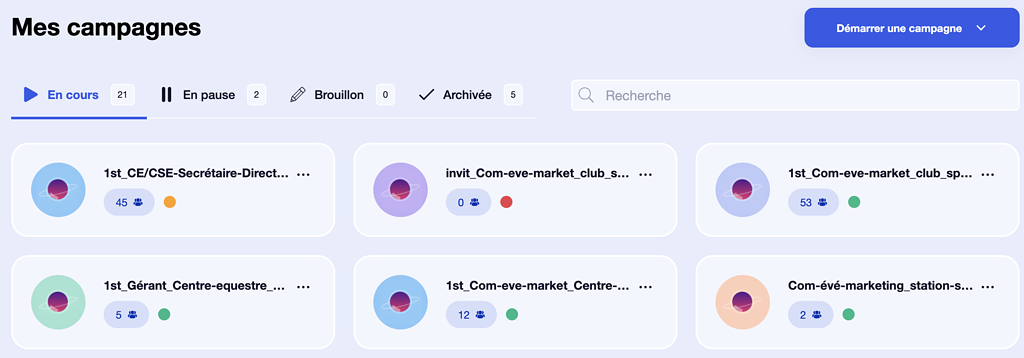
- The “Campaign” tab is arguably the most vital component of Waalaxy; it’s the “heart of the machine”. This section is designed to provide you with real-time monitoring of every campaign you’ve set up, enabling granular control over your prospecting or recruitment initiatives.
Key features
- Real-time statistics: You have access to constantly updated data on the performance of each campaign.
- Progression over time: Beyond instantaneous figures, you can track the evolution of each campaign over given periods, enabling you to understand how your strategy is progressing over time.
Status indicators
A distinctive feature of this tab is the coloured dots that quickly indicate the status of each campaign:
- Red: No prospect in progress. This requires your immediate attention, either to add new prospects or to re-evaluate the campaign.
- Orange: Waiting for a delay condition. This can indicate that the campaign is paused until a certain criterion is met (for example, a certain time elapsed since the last message was sent).
- Green: Everything works perfectly. Messages are being sent, connection requests are being processed and your campaign is well on the way to achieving its objectives.
Decision-making
Analyzing the data in this tab can help you make informed decisions, whether to make minor adjustments or completely overhaul a campaign. This is also where you can decide whether it’s time to run A/B tests for some of your campaigns.
Queue tab
Settings tab
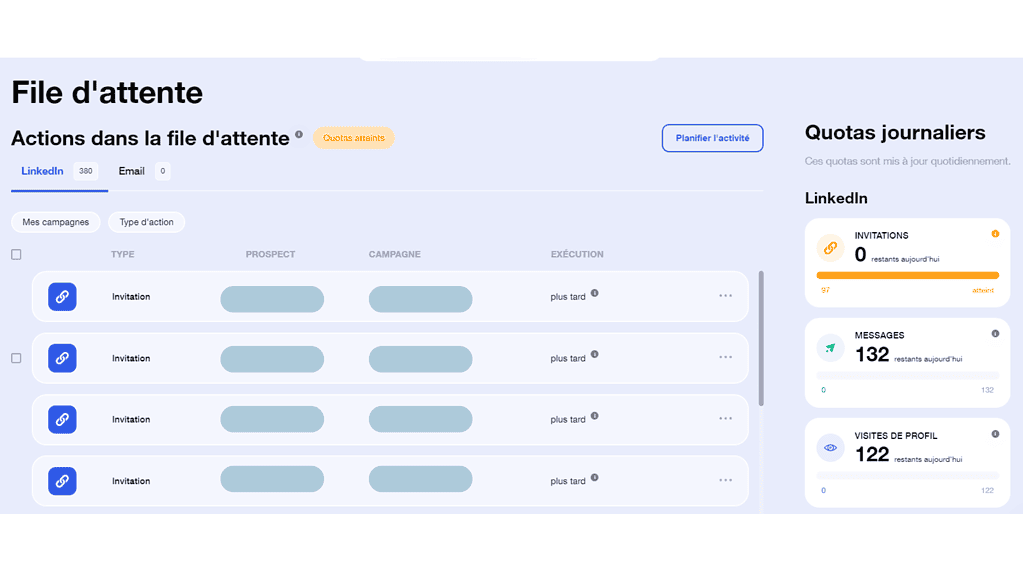
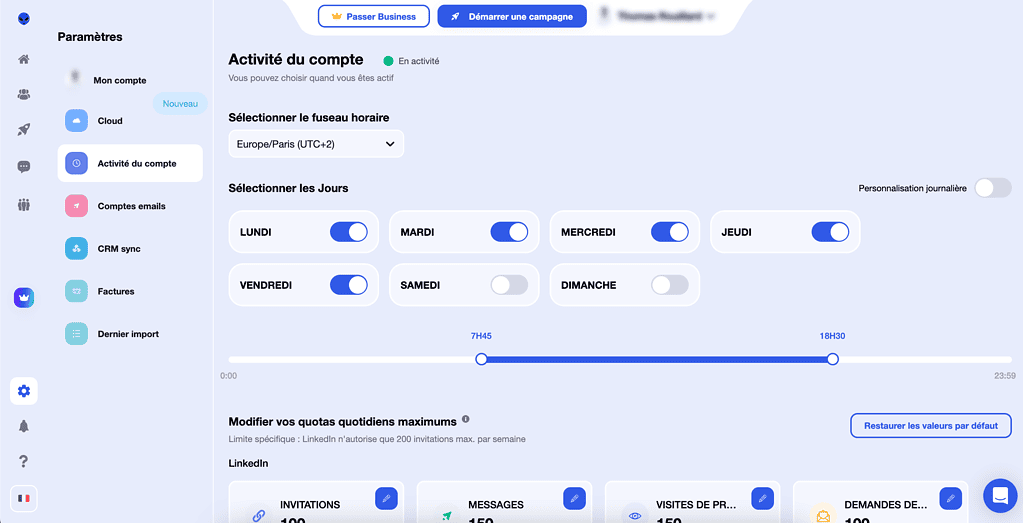
- Activity limits and hours: Set daily action limits and the hours during which Waalaxy is active.
Waalaxy is a comprehensive tool that covers many aspects of prospecting on LinkedIn and by e-mail. Its flexibility and range of functions make it a wise choice for professionals of all levels. But like any tool, it needs to be properly understood. So let’s delve deeper into our expertise on this platform.
Waalaxy tips and advice
A Double-Edged Tool
Waalaxy is positioned as a user-friendly tool, focused on the customer experience, ideal for quickly launching your first automation campaigns on LinkedIn. However, as with any tool of this kind, a few nuances need to be taken into account:
1. Instability
Although Waalaxy has brought many improvements, it is not free of bugs. Therefore, it’s essential to remain vigilant and check your campaigns regularly to make sure they’re performing as expected.
2. LinkedIn Orientation
Waalaxy is specifically adapted for LinkedIn, but its e-mail functionality remains rather limited. If emailing is a key component of your strategy, you may be interested in more comprehensive tools such as Lemlist or La Growth Machine.
3. Merge Tags
Waalaxy offers only three custom variables, limiting your customization options. However, this constraint can be a blessing in disguise, as it encourages you to create more personalized and authentic messages. This copywriting depends on good upstream segmentation. Here are some examples of LinkedIn messages to inspire you.
4. Price
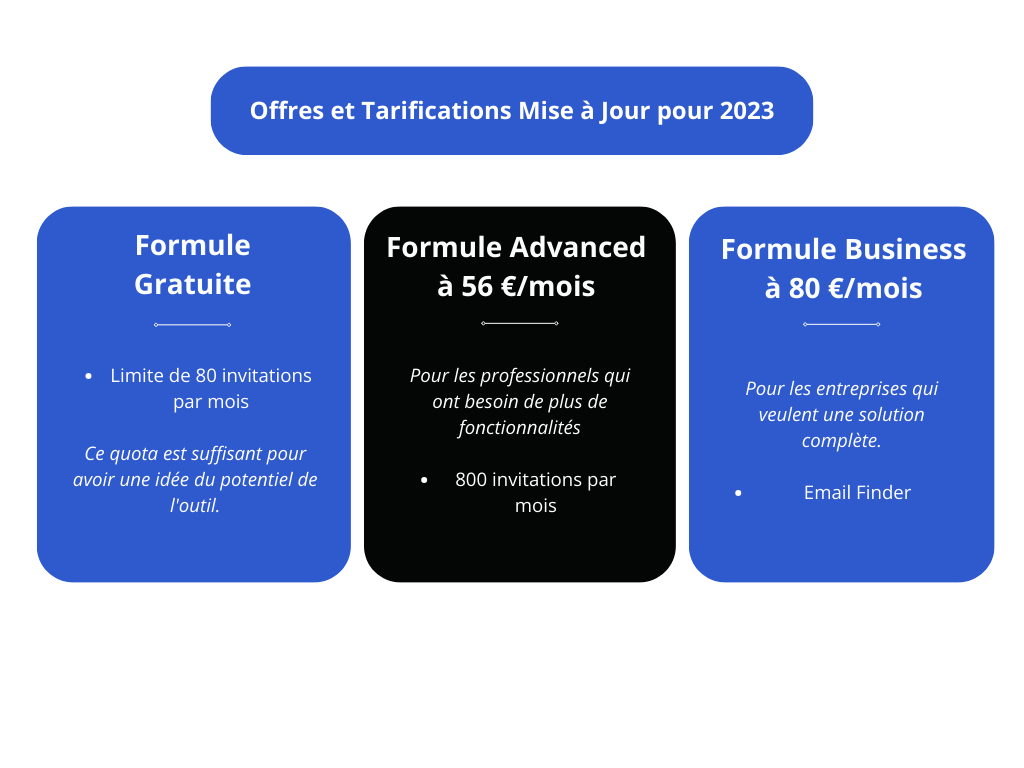
Waalaxy is no longer the most economical option on the market, but it has a mid-range package that’s perfectly suited to single-channel prospecting on LinkedIn. For advanced users, it may make more sense to consider other solutions offering additional features.
Optimal Campaign Strategy
The effectiveness of a campaign depends largely on its structure. Here are a few principles to follow:
- 1 campaign = 1 copywriting: Try not to mix several prospect lists in a single campaign.
- 1 prospect list = 1 precise nomenclature: Use double filtering in Sales Navigator to have a well-defined prospect list.
- 1 prospect list = 1 campaign with 1 precise copywriting: Link a specific list to a specific campaign to maintain consistency.
Campaign Monitoring
Monitoring performance is crucial. The indicators to be observed are:
- Acceptance rate > 20%: Indicates the effectiveness of your LinkedIn profile: it’s well optimized and your target is active on LinkedIn. If you’d like to optimize your profile, take a look at our Guides dedicated to this topic.
- Response rate > 30%: If this rate is low, consider A/B testing to optimize your messages.
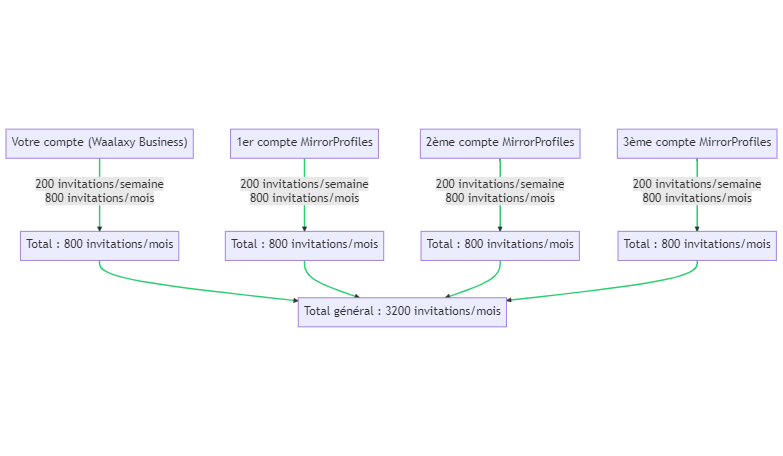
Since LinkedIn tightened the limits on each account, the prospecting volume you can get from a single account has dropped significantly compared with a few years ago: today, LinkedIn limits each account to around 100 to 120 connection requests per week. For a solid acquisition strategy on LinkedIn, running several Waalaxy-equipped accounts has almost become a necessity.
Using Waalaxy with MirrorProfiles
Trying out MirrorProfiles with Waalaxy opens up interesting perspectives for optimizing your prospecting or recruitment on LinkedIn. Here are some key arguments that may be of interest to you:
1. Volume with multiple accounts
By running Waalaxy on several MirrorProfiles accounts, you multiply your weekly prospecting volume: it becomes proportional to the number of accounts, each staying within its own limits. This matters all the more since LinkedIn limits each account.
2. Stable LinkedIn accounts
Prospecting from your sales reps’ or recruiters’ personal LinkedIn accounts is a risky bet: it’s their own profile and their own network that end up carrying the whole campaign, which is not what they were made for. And if you invest in this channel and your employee leaves, he or she takes the sales pipeline or candidate pool with them. With MirrorProfiles, the dedicated account is rented by the company, not by an individual: the network and the conversations stay in the company, the accounts are stable and, when needed, replaced in under 48 hours.
3. Verticalization of Accounts
Using multiple accounts also allows you to segment your prospecting efforts according to different sectors or niches, optimizing the relevance and effectiveness of your messages. This technique is particularly effective for companies capable of creating content such as LinkedIn posts or articles.
4. Auto Import functionality
Although rarely used, the auto-import function is extremely useful for automating database generation. This function can be connected to your Sales Navigator, enabling seamless synchronization of your prospect lists.
Focus on Auto Import: Combined with MirrorProfiles, this feature creates an ideal stack that covers the entire spectrum of LinkedIn outbound.
5. Selective use of Waalaxy
Although Waalaxy is specifically optimized for LinkedIn, for e-mail campaigns we recommend using Lemlist. Lemlist with MirrorProfiles deserves a guide of its own.
Example of targeting with LinkedIn
- Initial search on LinkedIn: Use Sales Navigator or the classic LinkedIn search to filter prospects by industry, location, company size, etc.
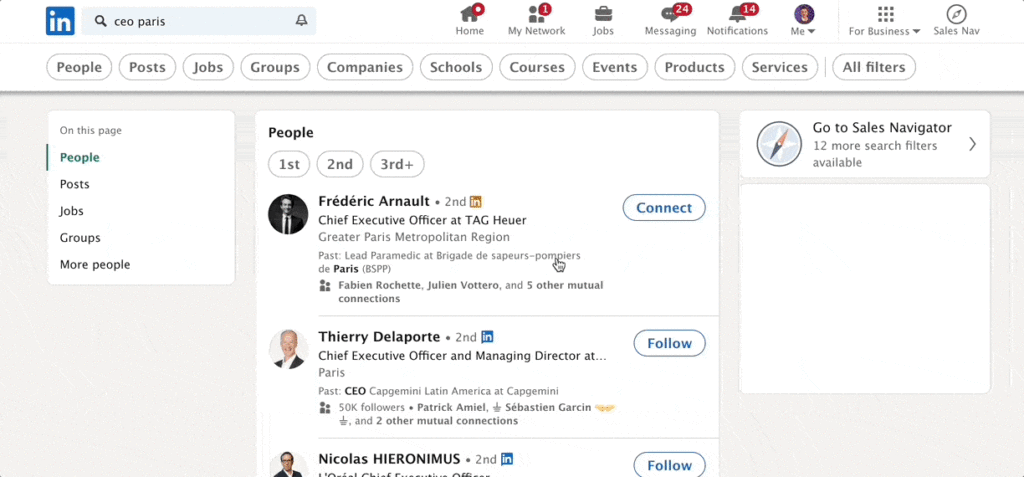
Creating the Prospect List: Save this search and give it a precise nomenclature.

Import into Waalaxy: Use the auto-import function to synchronize this list with Waalaxy.
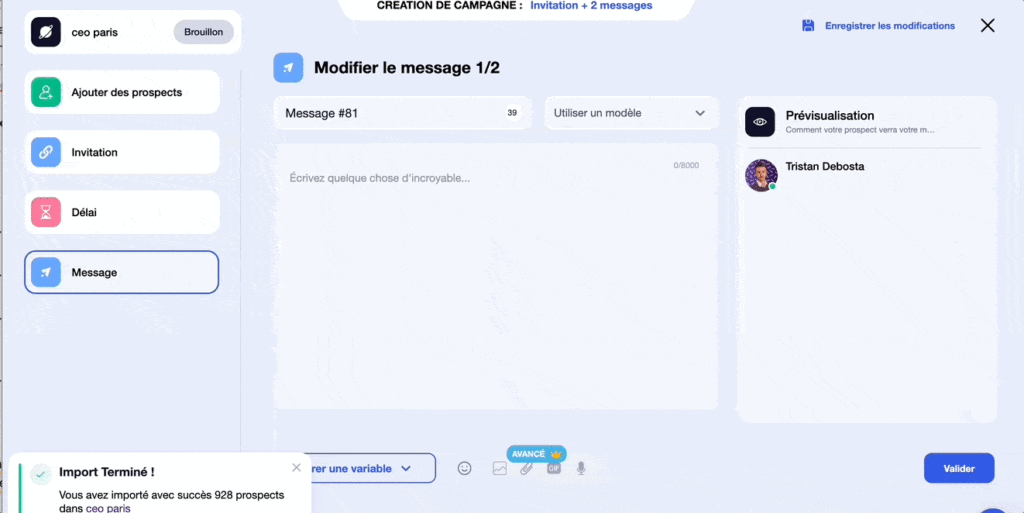
Definition of Copywriting: Create a campaign in Waalaxy with a specific message to be sent to this list of prospects.
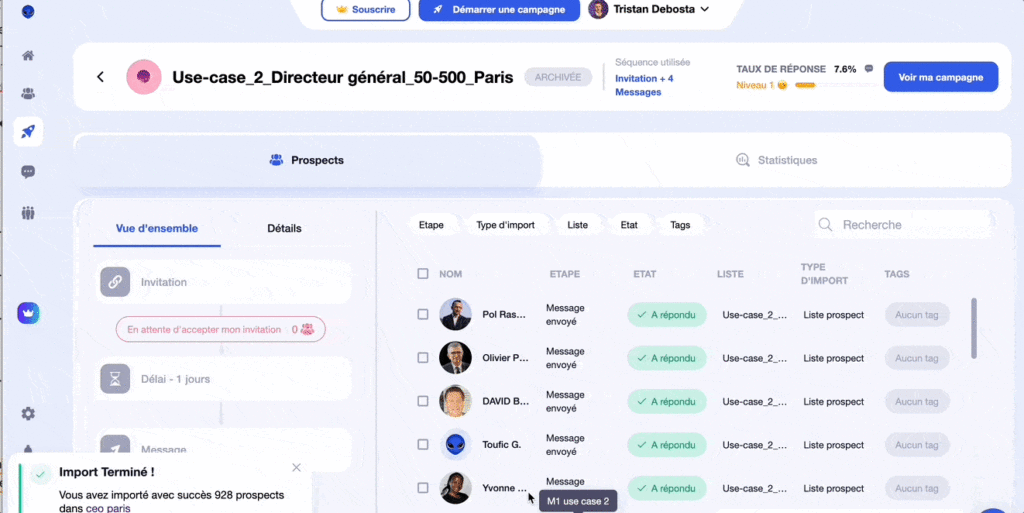
Monitoring and adjustments: Monitor acceptance and response rates. Adjust if necessary.
Conclusion
Integrating MirrorProfiles and Waalaxy into your LinkedIn prospecting strategy can not only increase your reach, but also the quality of your interactions. From account verticalization to automated database generation, these tools offer an array of features that can be tailored to your specific needs.
It’s crucial to note that mastering these tools requires careful attention to detail and regular monitoring. By monitoring acceptance and response rates, you can adjust your campaigns in real time and keep them efficient. If you’d like some guidance in this area, we recommend Stepward, an agency specialized in outbound marketing.
What’s more, the online prospecting landscape keeps changing. The limits LinkedIn places on each account make the intelligent use of multiple accounts all the more essential.
In short, combining MirrorProfiles and Waalaxy is a solid way to scale your LinkedIn prospecting or recruitment.











