Valley
INTEGRATIONS
Compatible
Give each Valley seat a warmed-up MirrorProfiles account: Valley qualifies your prospects, writes in the sender's voice and sends connection requests and messages from that account.
Rent accounts for Valley
Add accounts
as you grow
Signal-based
prospecting
No
commitment
Clear
usage rules
THE TWO SIDES

THE TOOL
VALLEY
An AI SDR that finds and qualifies prospects, researches each one and writes messages in the sender's voice, then sends them on LinkedIn. Accounts connect through the Valley Desktop app for Mac and Windows, one per seat.

THE ACCOUNT
MirrorProfiles
Warmed-up LinkedIn accounts, set up for automation, with no commitment and monthly billing. Give each Valley seat its own account to multiply your reach, and keep your team's personal profiles out of your outreach.
4 months
of manual warmup
Warmed up by hand by our team before it reaches you. No shortcuts, no bots.
500+
real connections
A network already in place from day one, ready for your outreach.
48H
delivery, and we can add them to Valley for you
Your accounts are ready within 48 hours. Request the setup from your client area and our team adds them to your Valley seats, free of charge.
BETTER TOGETHER
Four things you get from the pairing, and who brings what.
 Valley brings it
 MirrorProfiles brings it
1. More seats, more reach
Each account keeps its own weekly pace. Put a MirrorProfiles account on every Valley seat and your total reach grows with each seat you add.
2. Seats ready on day one
Accounts reach you after four months of warmup, with 500+ connections. Request the setup from your client area and our team adds them to Valley, so each seat starts from an established profile.
3. Research before every message
Valley reads each prospect's posts, interviews, company news and podcasts, scores them against your ICP, and only then writes, in the sender's voice.
4. One inbox for every account
Replies from all your connected LinkedIn accounts land in one inbox, and Admin View lets a manager step into any account to follow up.
SETUP
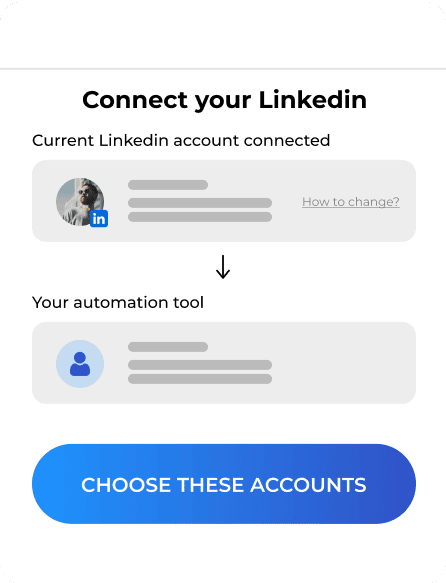
Valley links LinkedIn through its desktop app, so the simplest way is to request the setup from your client area, share your Valley access, and let our team add your accounts for you. You can also do it yourself in Valley Desktop.

FAQ
Can't find what you're looking for? Our team responds within a few hours.
Talk to salesWe recommend the client area: request the setup, share your Valley access and our team adds your accounts for you, usually within 2 hours, free of charge. To do it yourself, install Valley Desktop on Mac or Windows, sign in to Valley and follow the prompt to connect LinkedIn with the login details from your platform. If a verification code is requested, it is waiting in your MirrorProfiles platform. Once the app shows connected, refresh your Valley dashboard.
Keep each account within our usage rules: 100 to 120 connection requests a week, up to 40 messages a day, and no profile visits. Valley campaigns start at 25 connection requests a day, which adds up to more than our weekly range, so lower that daily setting in each campaign until the weekly total stays within 100 to 120.
One LinkedIn account per seat, and you add seats as you grow. Keep in mind that the account connected to a seat cannot be changed afterward: connecting the wrong one means paying for a new seat, so check the account before you connect it, or let our team do it. On our side you rent accounts one by one, with no commitment.
Valley Starter costs $199 per seat per month on monthly billing, or $149 billed quarterly, and covers LinkedIn with email as an add-on. Plus costs $299 per seat per month and includes 1,000 emails a month (Valley pricing, checked in October 2026). Each seat runs one LinkedIn account.
Valley presents a Sales Navigator subscription, Core or Advanced, as a requirement for each connected account, and its InMails go through the Sales Navigator inbox. Plan for it alongside each Valley seat: write to us from the chat in your client area and our team sets up Sales Navigator on your accounts with you.
A Valley seat stays tied to the LinkedIn account you connect, so the account you choose matters. With a dedicated MirrorProfiles account, the seat does not depend on a rep's personal profile, your team keeps its own network out of your outreach, and the account stays with your company when people change roles.
Valley is a trademark of its owner. MirrorProfiles is an independent platform; not affiliated with Valley.
Stable accounts. Plug-and-play infrastructure. Outbound at scale.

Simulator
Your setup
 Here's how we calculate it
~ 250
Leads/month
€1,190
/mo
~ €4.76
/Lead
Your target
The more accounts, the lower the price per account.
Europe
United States
For 10 accounts
€119 -15%
/ account / month
European accounts for European markets (Europe, Morocco, Algeria, Russia).
American accounts for American markets (North and South America).
Total
€1,190/month